Graphy lets you book one-on-one coaching sessions directly with a creator — browse their programs, pick a plan, choose a time that works for you, and you're booked. This article walks you through the whole journey, from finding a coaching program to confirming your session.
Finding a Coaching Program
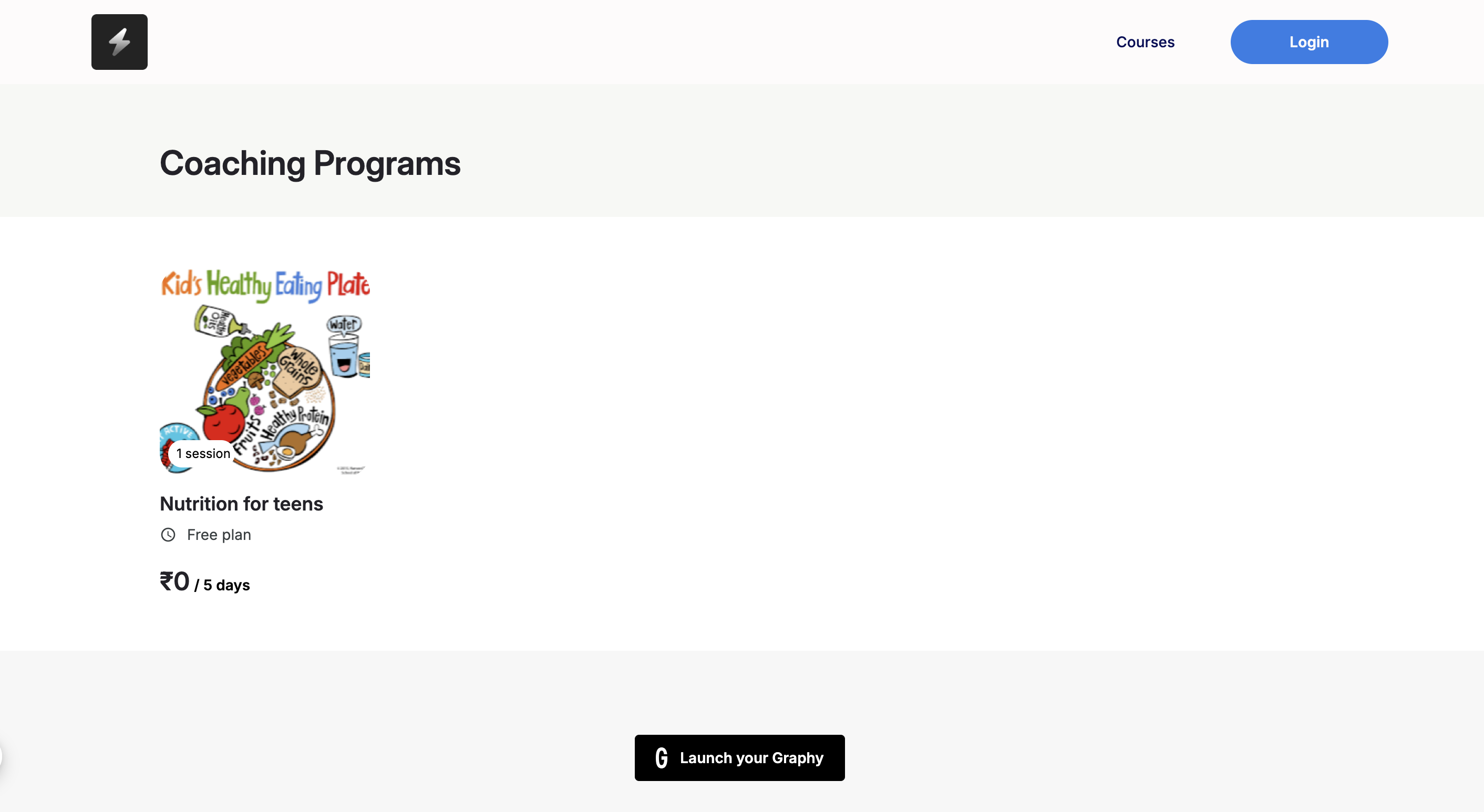
Coaching programs appear on a coach/ creator's Graphy site under Coaching Programs. Each program shows up as a card with its cover image, the program name, the number of sessions included, the plan type, and the price (for example, a Free plan at ₹0, or a paid plan). Click the program you're interested in to open its page.
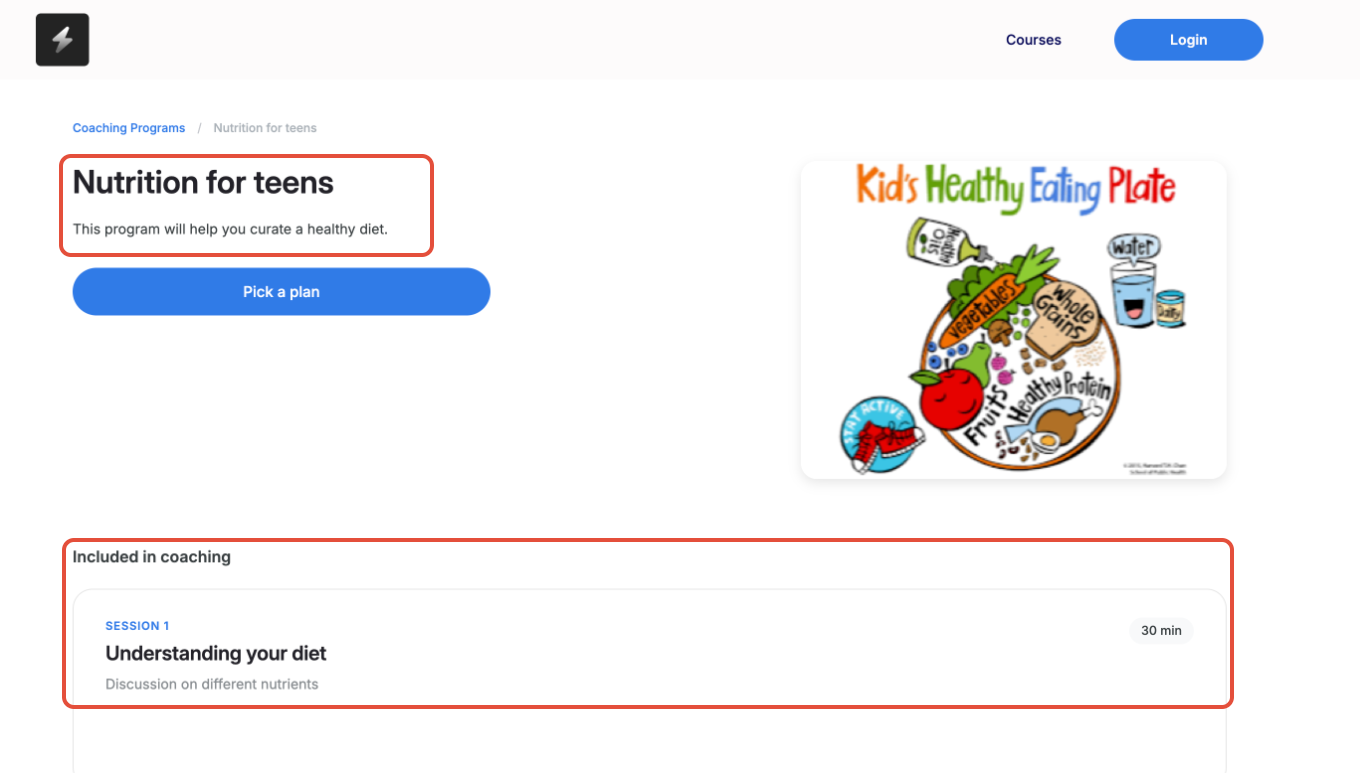
The program page tells you what you're signing up for. At the top you'll see the program name, a short description, and the cover image. Under Included in coaching, each session is listed with its title, duration, and a short description of what it covers — so you know exactly what to expect across the program. When you're ready, click Pick a plan.
Picking a Plan
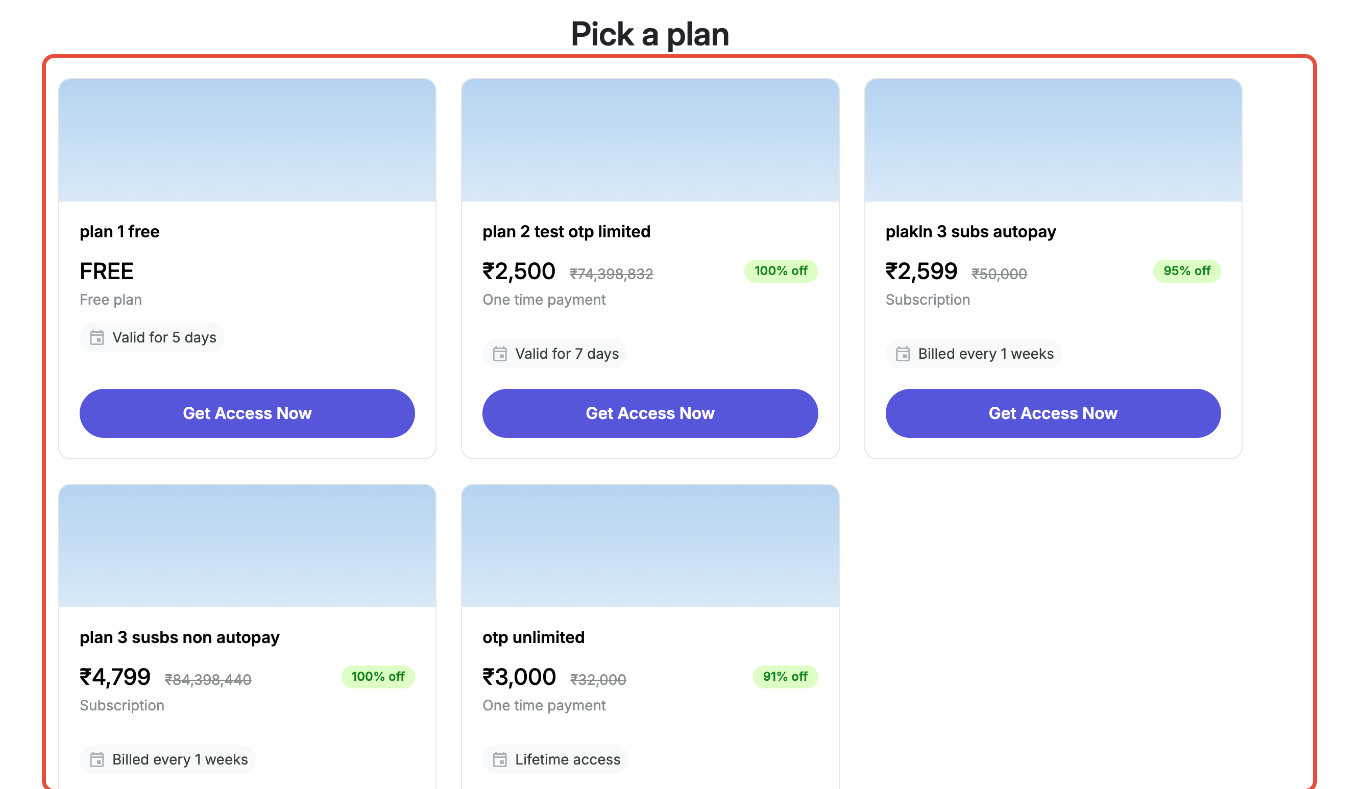
The Pick a plan screen shows every plan the creator offers. Depending on the program, you might see:
- A Free plan — no charge, usually valid for a set number of days.
- A One-time payment plan — a single fee with time-bound or lifetime access.
- A Subscription plan — recurring billing (for example, billed weekly).
Each plan card shows the price (and any discount), how long access lasts or how often you're billed, and a Get Access Now button. Click Get Access Now on the plan you want.
Choosing Your Session Time
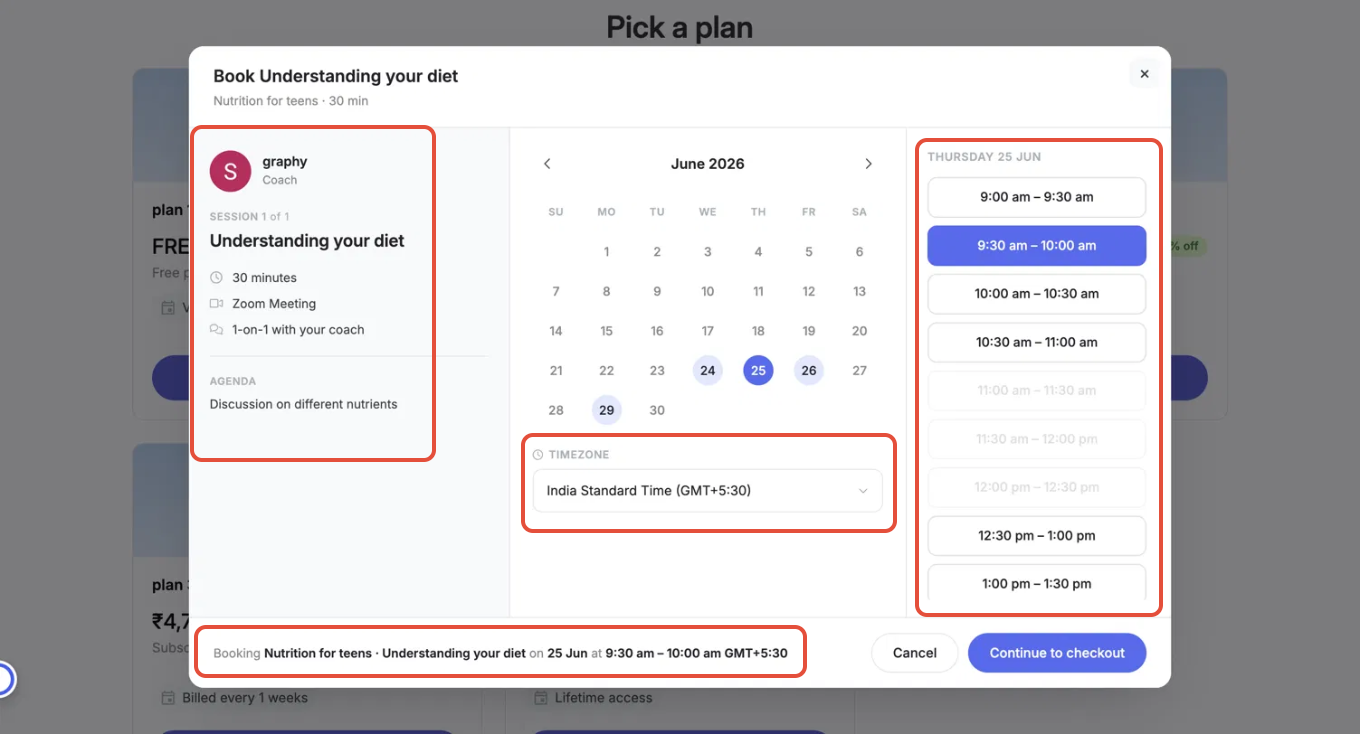
A booking window opens so you can schedule your session. On the left you'll see the details: the coach, the session (e.g. Session 1 of 1 — Understanding your diet), the duration, the meeting type (such as a Zoom Meeting), a note that it's a 1-on-1 with your coach, and the session agenda.
To book:
- Pick an available date from the calendar — dates with open slots are highlighted.
- Check your timezone in the dropdown and change it if needed, so the times show correctly for you.
- Choose an available time slot from the list on the right. Greyed-out slots are unavailable.
- Review the summary at the bottom — it confirms the program, session, date, and time you've selected — then click Continue to checkout.
The checkout page shows a summary of your order — the program name, the COACHING tag, how long access is valid, the description, and the creator's contact email — alongside the amount due (Price and You pay).
Fill in your Personal details: your Name, Phone number, and State. Then click Pay Now.
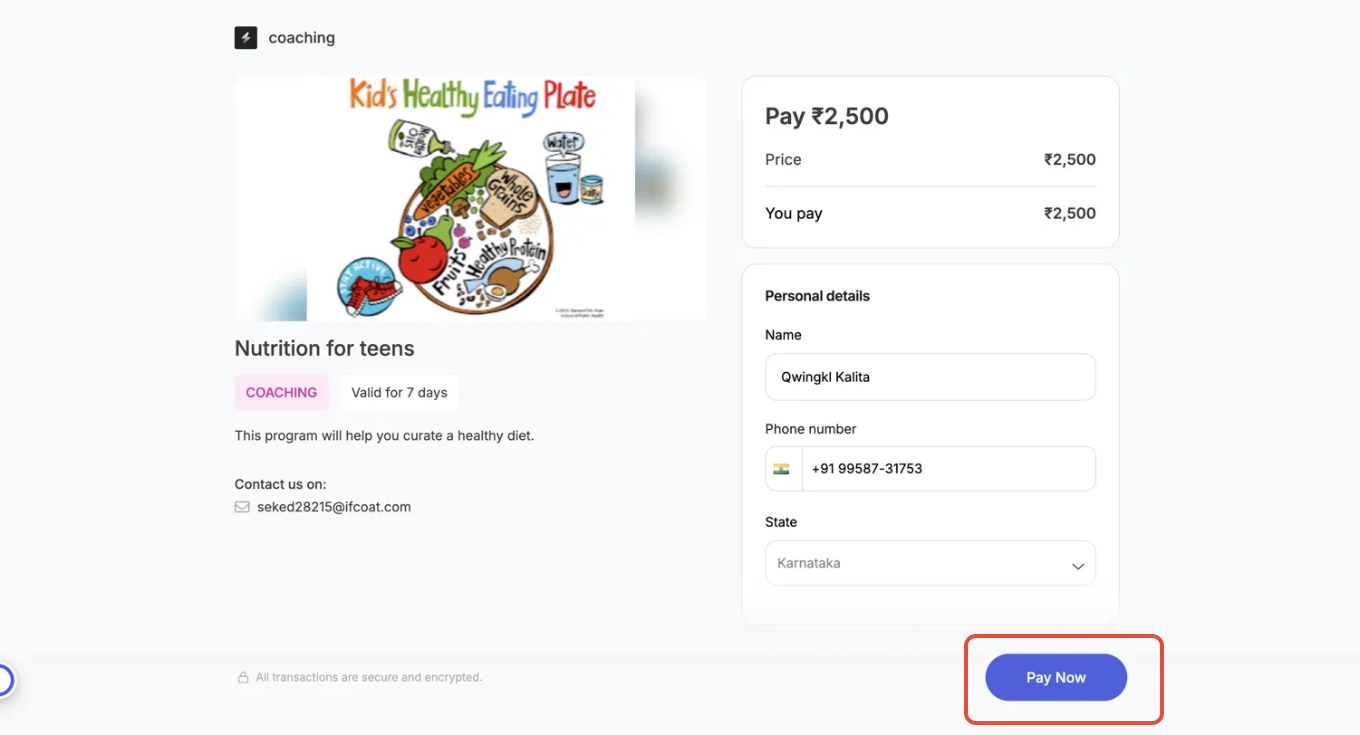
For paid plans, you'll be taken to a secure payment gateway to complete your purchase. Choose your payment method, complete payment and confirm booking.
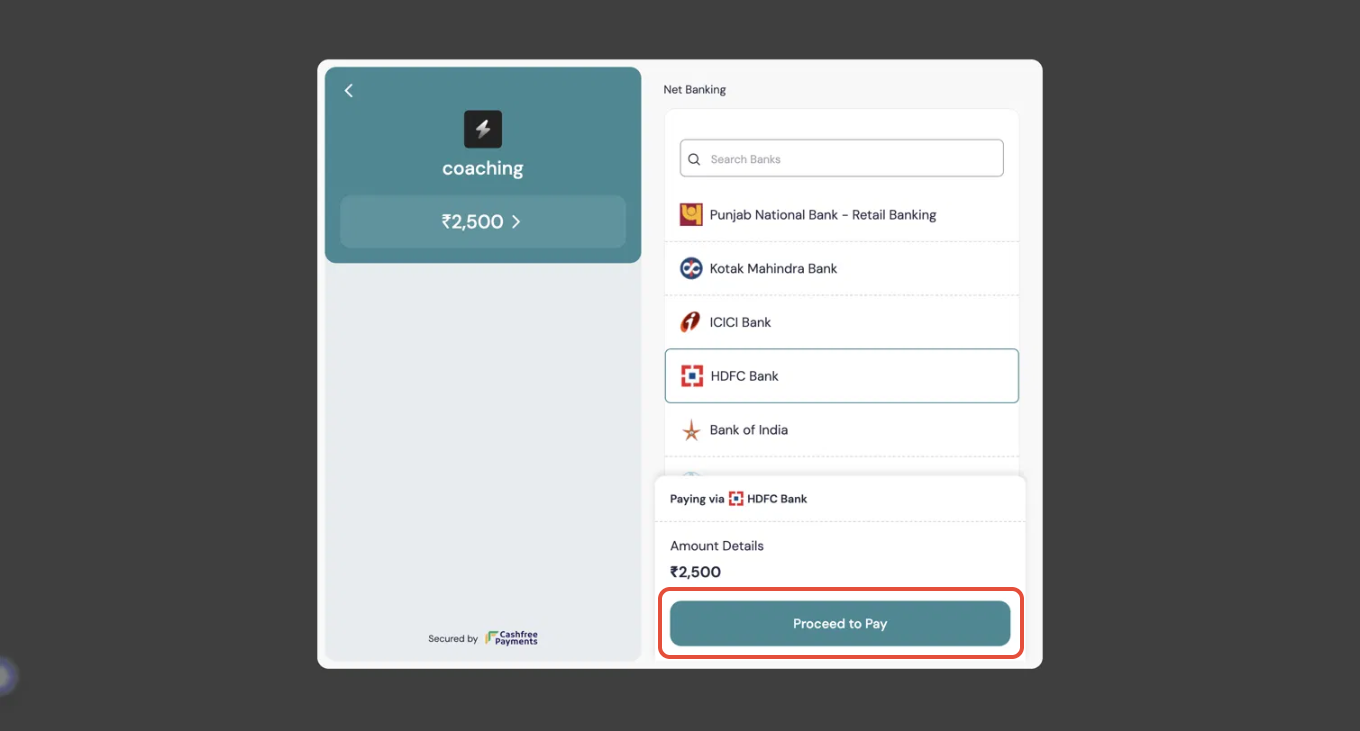
Confirming Your Booking
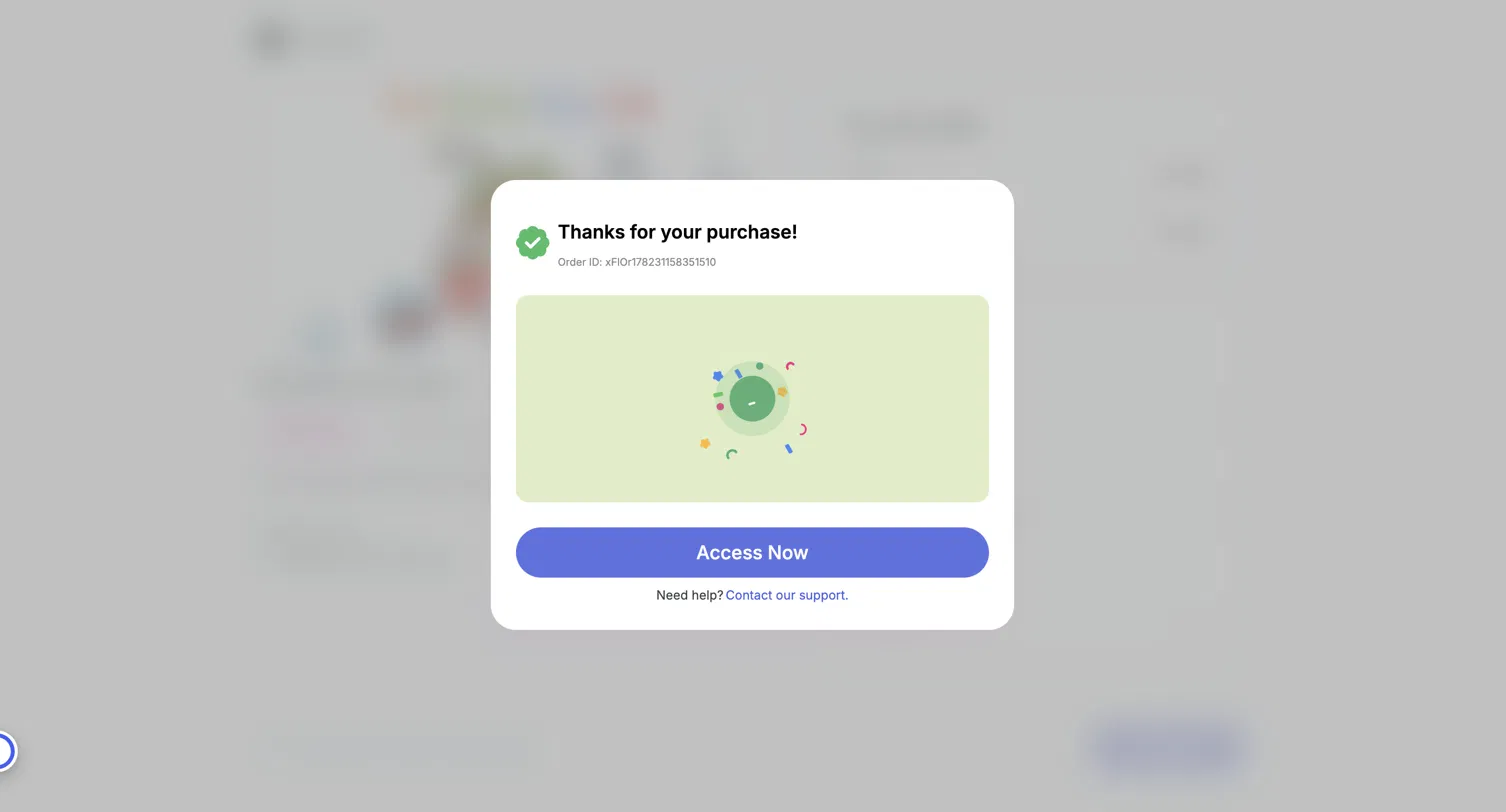
Once your payment goes through, you'll see a Thanks for your purchase! confirmation with your Order ID. Click Access Now to head straight to your dashboard, where your session is waiting. If anything goes wrong, use the Contact our support link on this screen.
What Happens Next
Your booked session now lives in your learner dashboard under Coaching → Bookings, where you can see the scheduled date and time, your progress through the program, the session status (such as Upcoming), and a Join button to enter the session when it's time.
Was this article helpful?
That’s Great!
Thank you for your feedback
Sorry! We couldn't be helpful
Thank you for your feedback
Feedback sent
We appreciate your effort and will try to fix the article