Graphy introduces a powerful new advanced view for packages that transforms how learners search for, and accesses content. This new experience resides under Library Tab. You can land inside packages by either using the search bar or by using filters, or both, to arrive at a specific package or course inside it.
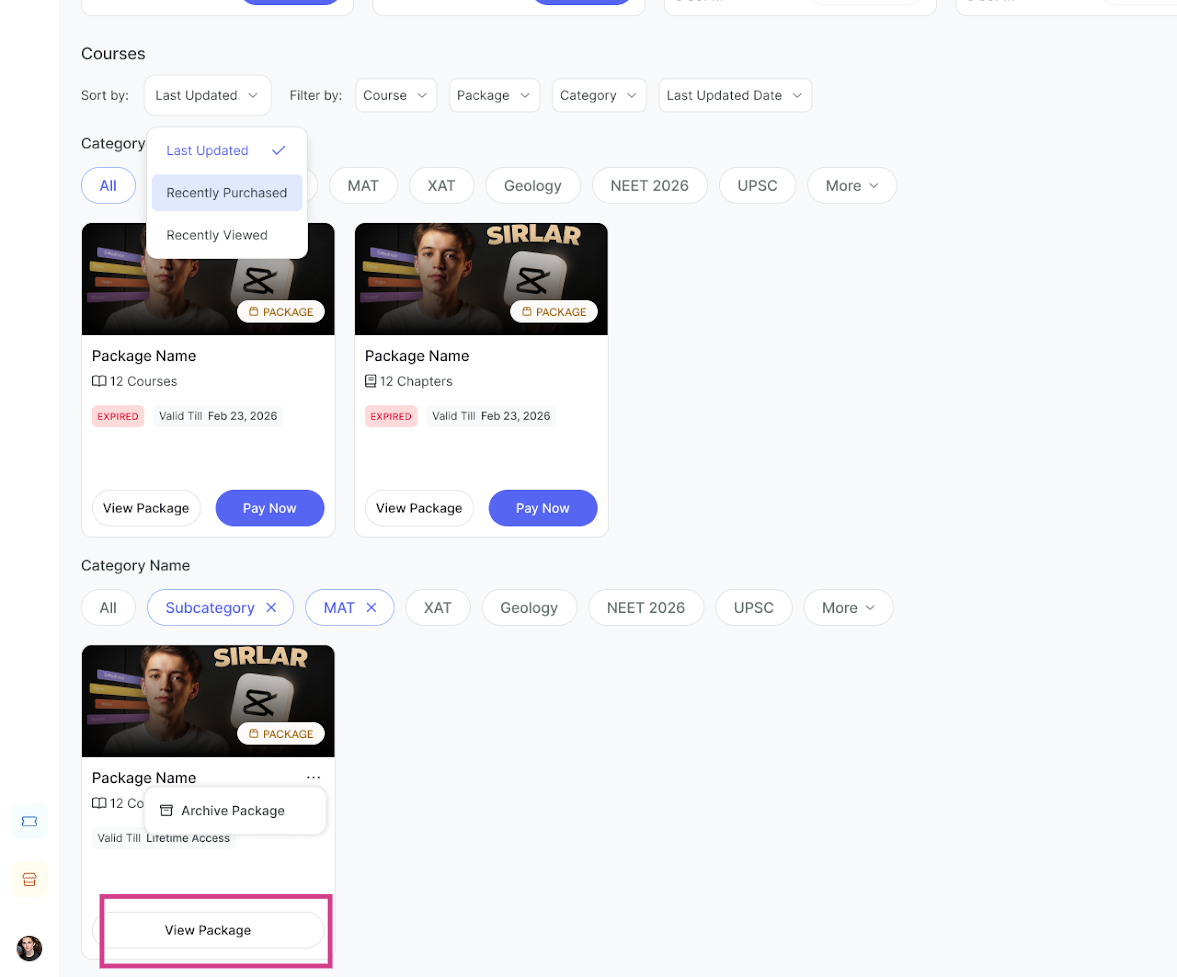
Step 1: Select Any Package from the Library View
From the library view, select a package that appears under your search results.
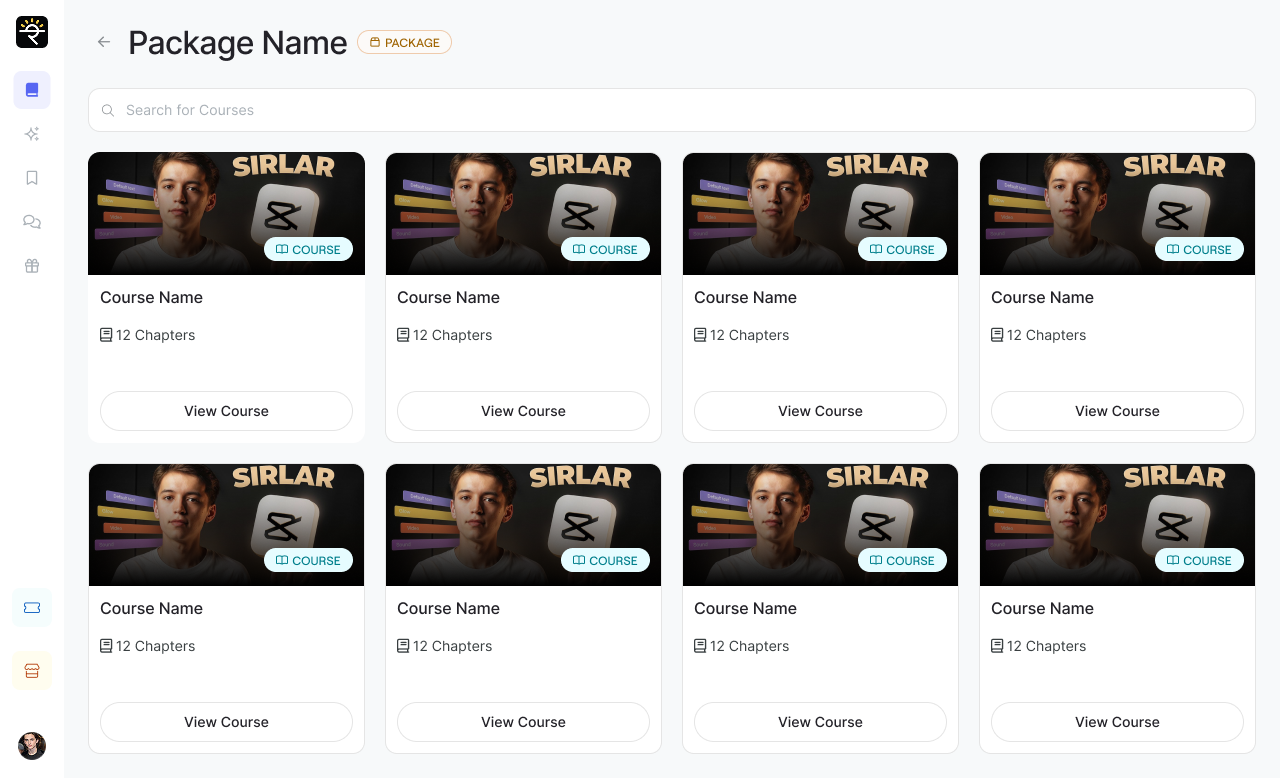
Step 2: Access Package View with All Contents
The learner is redirected to the package view where they can see all the courses included in that package. Browse through all available courses within the package.
Step 3: Click on Any Course to Access It
Further clicking on any course from the package, it will take you directly to that course where you can access all its content and materials.

Related Articles-
1. A New Library Experience For Learners- Find, Track, Engage on Courses and Packages2. Inside an Independent Course View under Library Tab
3. Archive Courses and Packages
4. Enable Advanced Library View for a more engaging Learner Library Experience
Was this article helpful?
That’s Great!
Thank you for your feedback
Sorry! We couldn't be helpful
Thank you for your feedback
Feedback sent
We appreciate your effort and will try to fix the article