With Advanced Dashboard enabled by your admin, learners can get a fully revamped course experience, redesigned for faster, more intuitive access to everything inside a course.
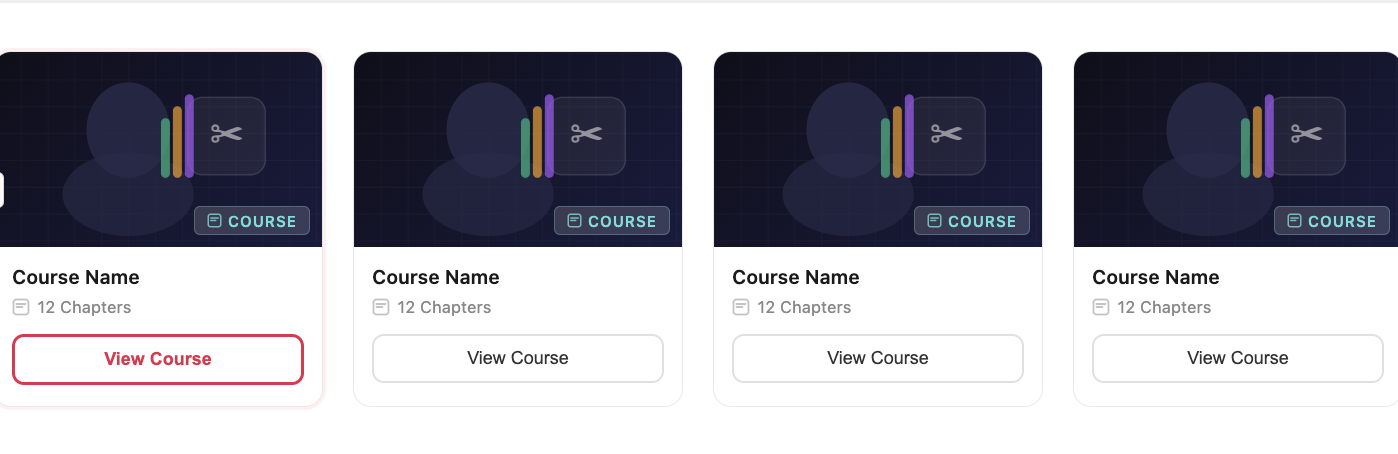
Step 1: Click on View Course option inside Course Cards
Click on View Course option inside a course card. These View Course Card options typically appear under various categories under the main Library Page.
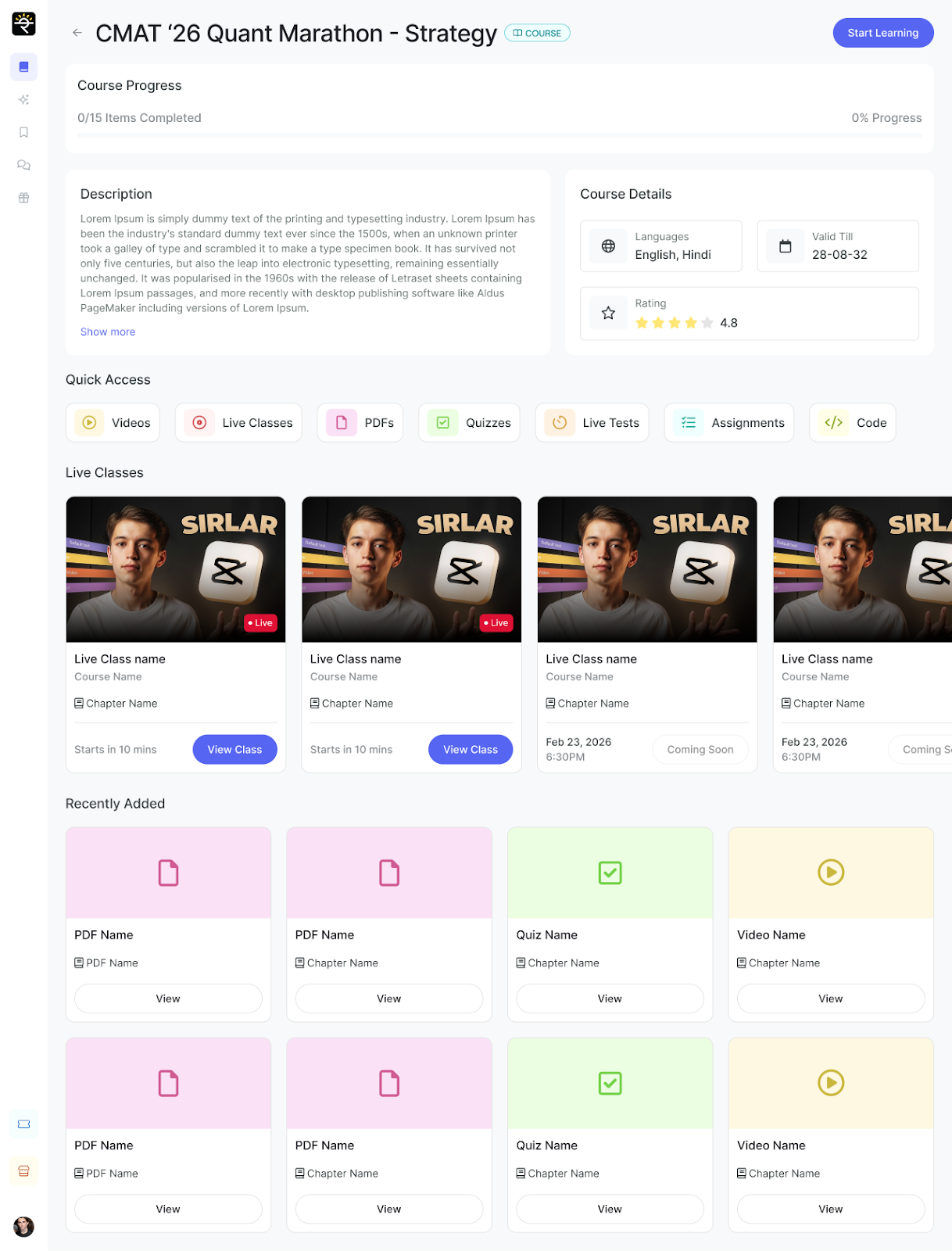
 Step 2: Access the Course View
The learner is redirected to the course take page, where they can see descriptions, progress bar, quick access items under that particular course page. Course can be started or continued from this same page, every time with the Start Learning/Continue Learning button on top.
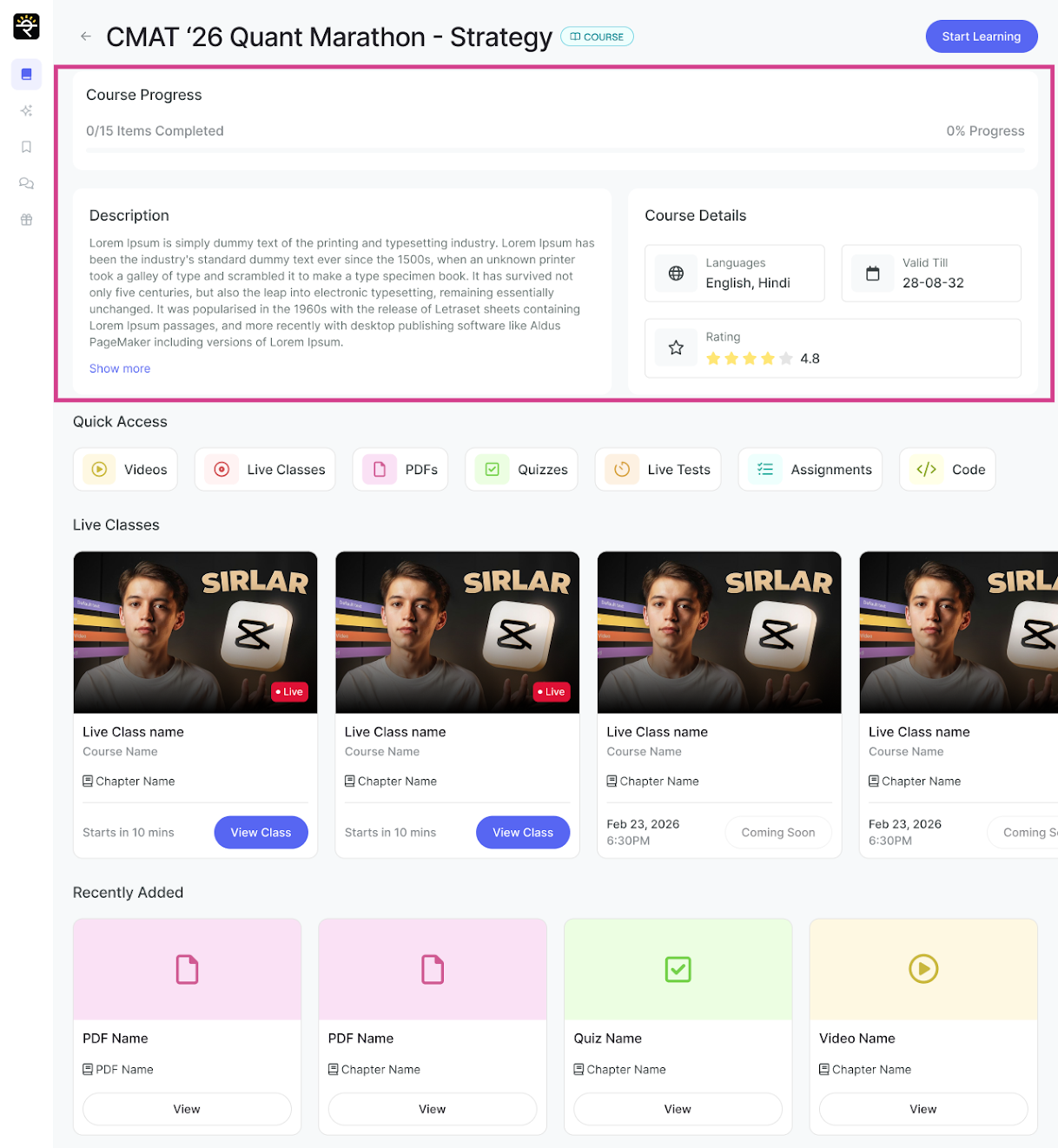
Step 3: View Course Progress, Description, and Details
The learner can see the course progress, course description, and the course details at the top of the course view.
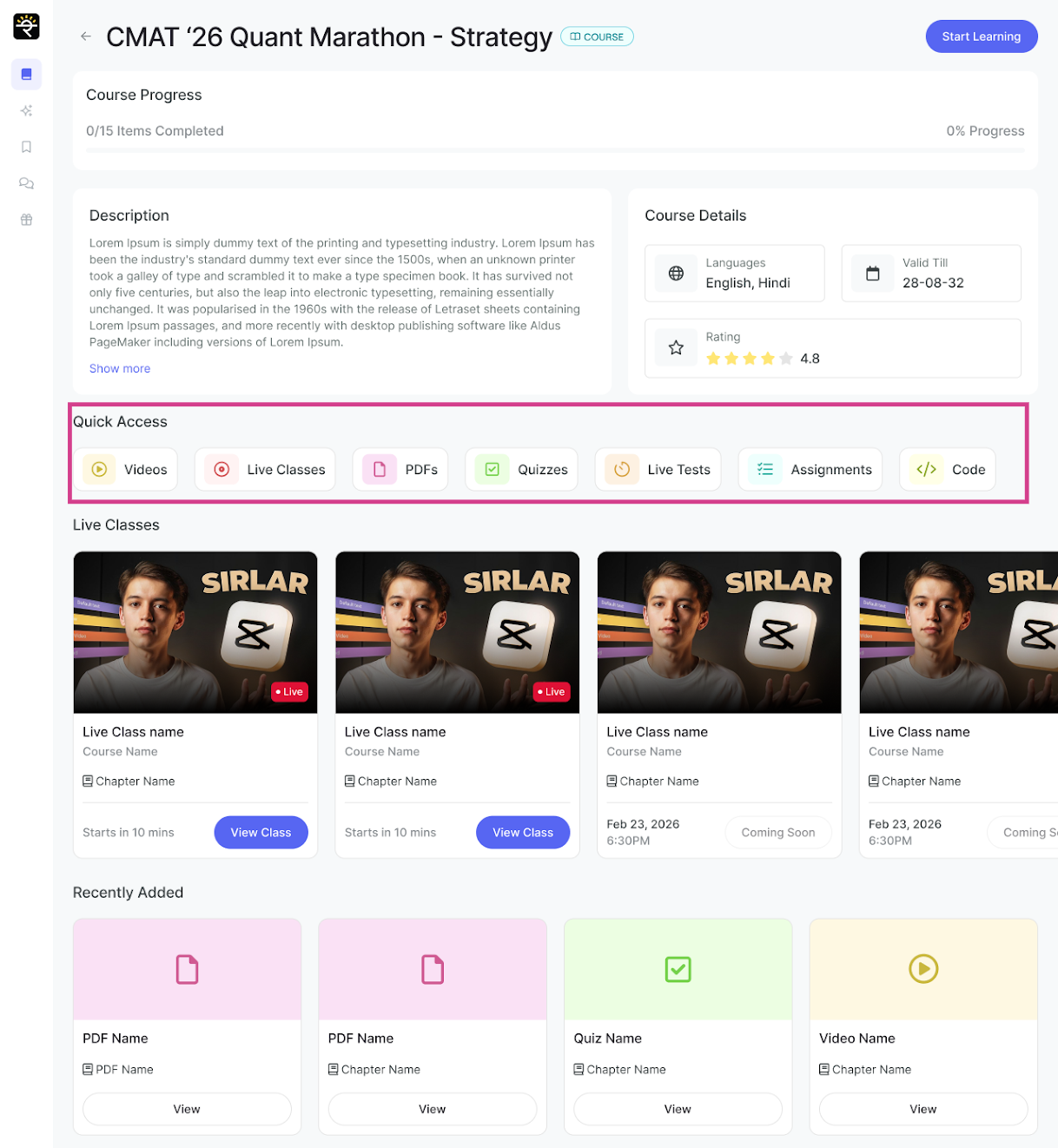
Step 4: Use Quick Access Tab to Filter Content Inside the Course
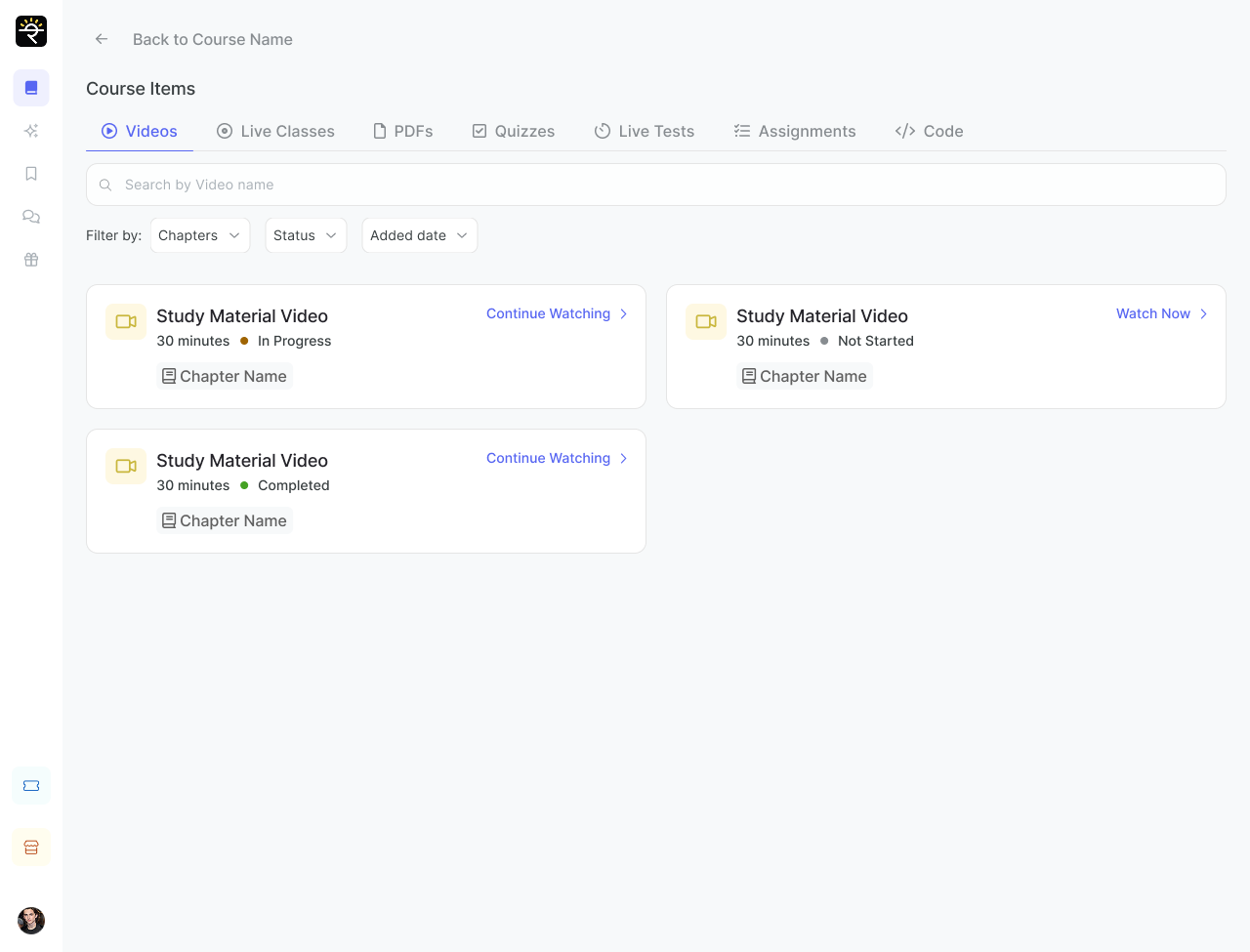
The learner can use the quick access tab to access specific course content like PDFs, videos, live classes, quizzes, assignments, and more.
Step 5: Select Any Quick Access Items inside Course.
Once the learner clicks on any item in the quick access tab, they will be redirected and can access all items of that type within the course. Learners can choose to search for chapter items in the search bar, or filter using various options given under each tab.
Note- The various quick access items that will be visible on tabs under Course Items, above will be based on admin's set preferences of those items.
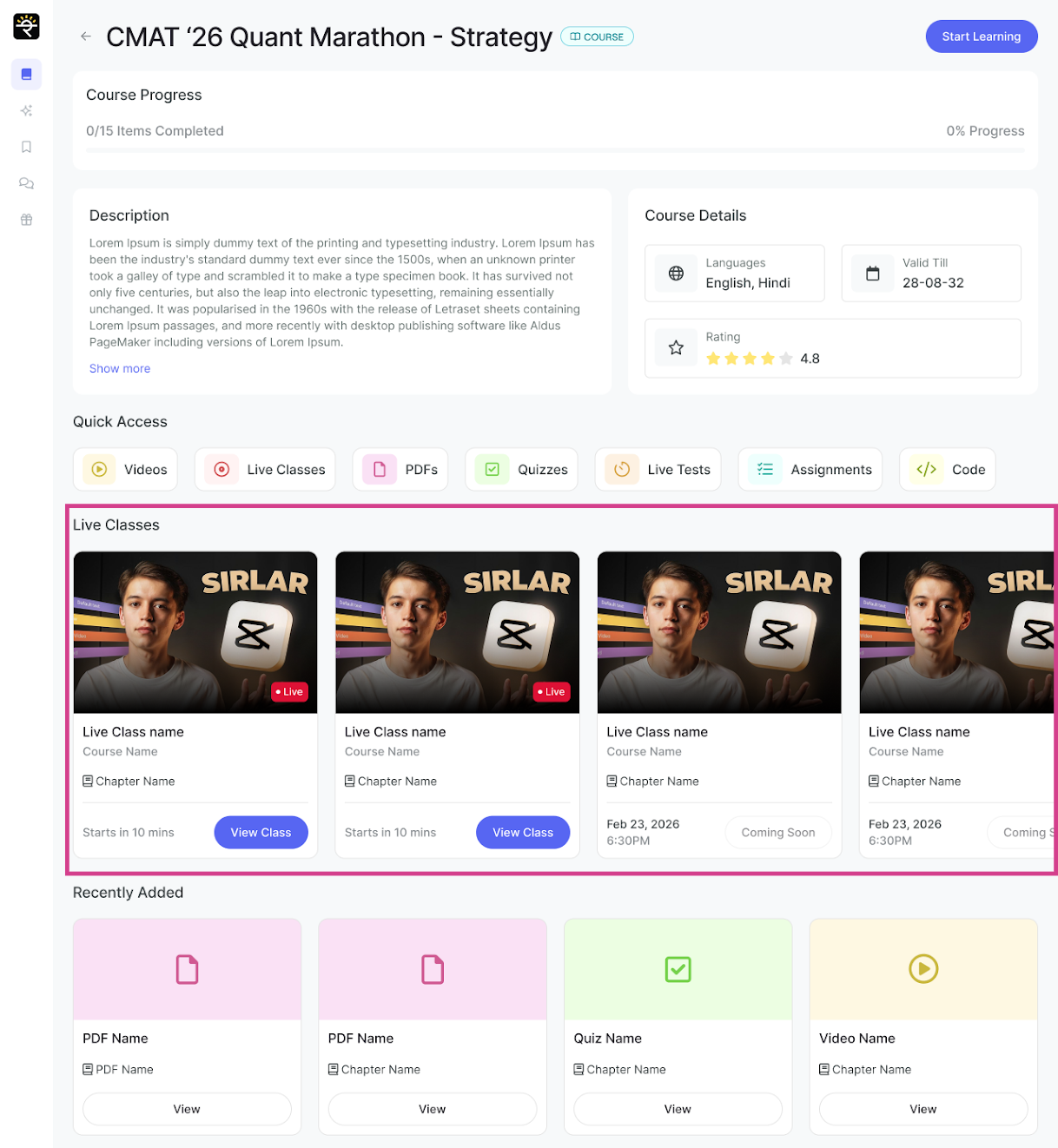
Step 6: Access Live Class Section in a Handy Way
The learners can see the live classes, their status, and can join the class directly from the course view.
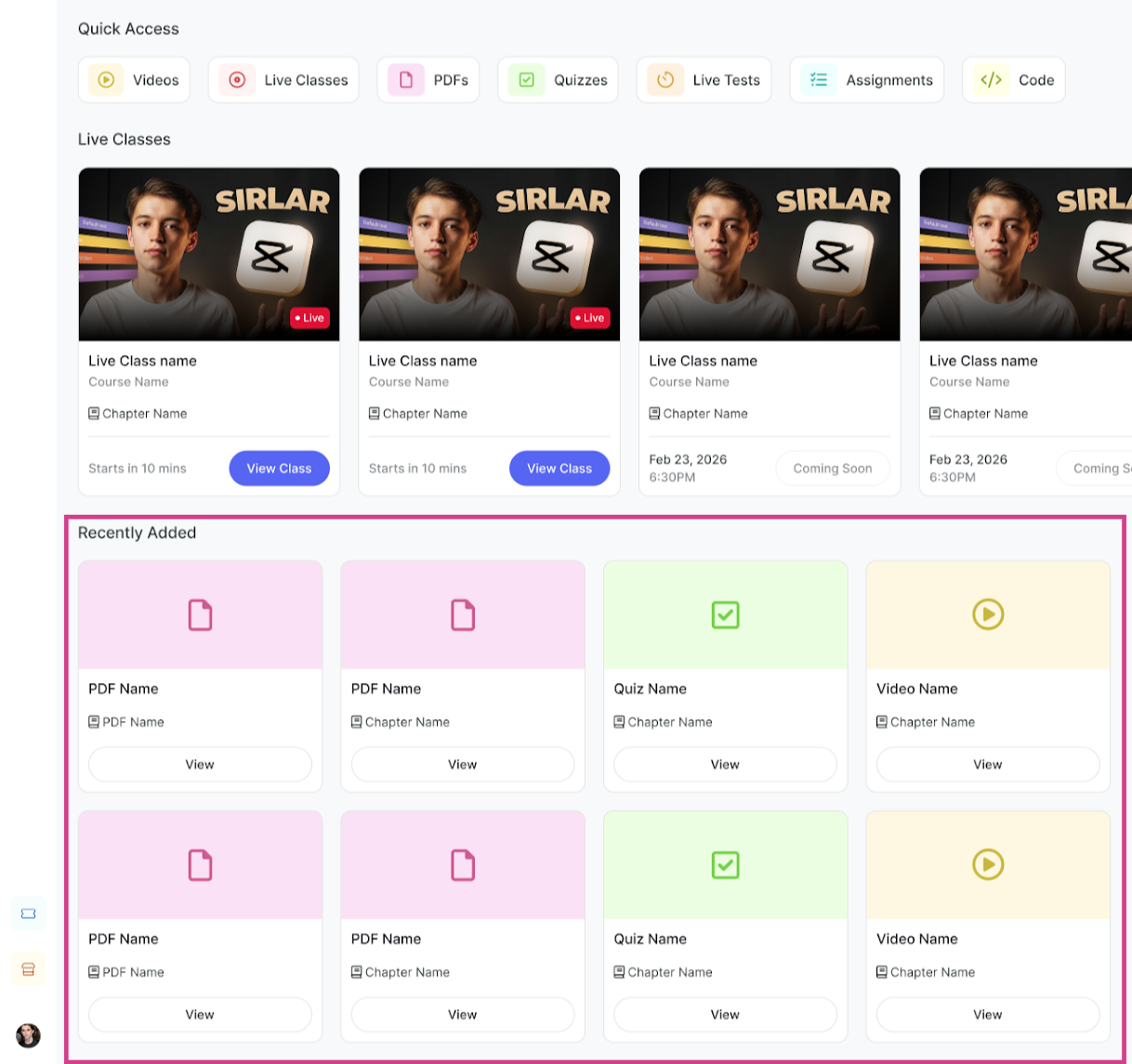
Step 7: Access Recently Added Content
The learners can also see the recently added content of the course and click on view to access that content.
Related Articles-
2. Packages inside Library View3. Archive Courses and Packages
4. Enable Advanced Library View for a more engaging Learner Library Experience
Was this article helpful?
That’s Great!
Thank you for your feedback
Sorry! We couldn't be helpful
Thank you for your feedback
Feedback sent
We appreciate your effort and will try to fix the article