Learners can now easily escalate/ raise their concerns, directly to you, via your Graphy AI Agent. This update in our AI Agent suite ensures that learner issues are brought to your attention quickly and efficiently, allowing you to provide personalized support and resolve concerns promptly.
When a learner holds a conversation with your AI Agent, they get an option to escalate any concerns they may have, on the chat itself. In cases where their doubts are not resolved or they didn’t find complete support from the AI Agent, Graphy collects their feedback and notifies you via an email on the concern or sends a webhook to you.
Follow these steps to access and manage learner concerns:
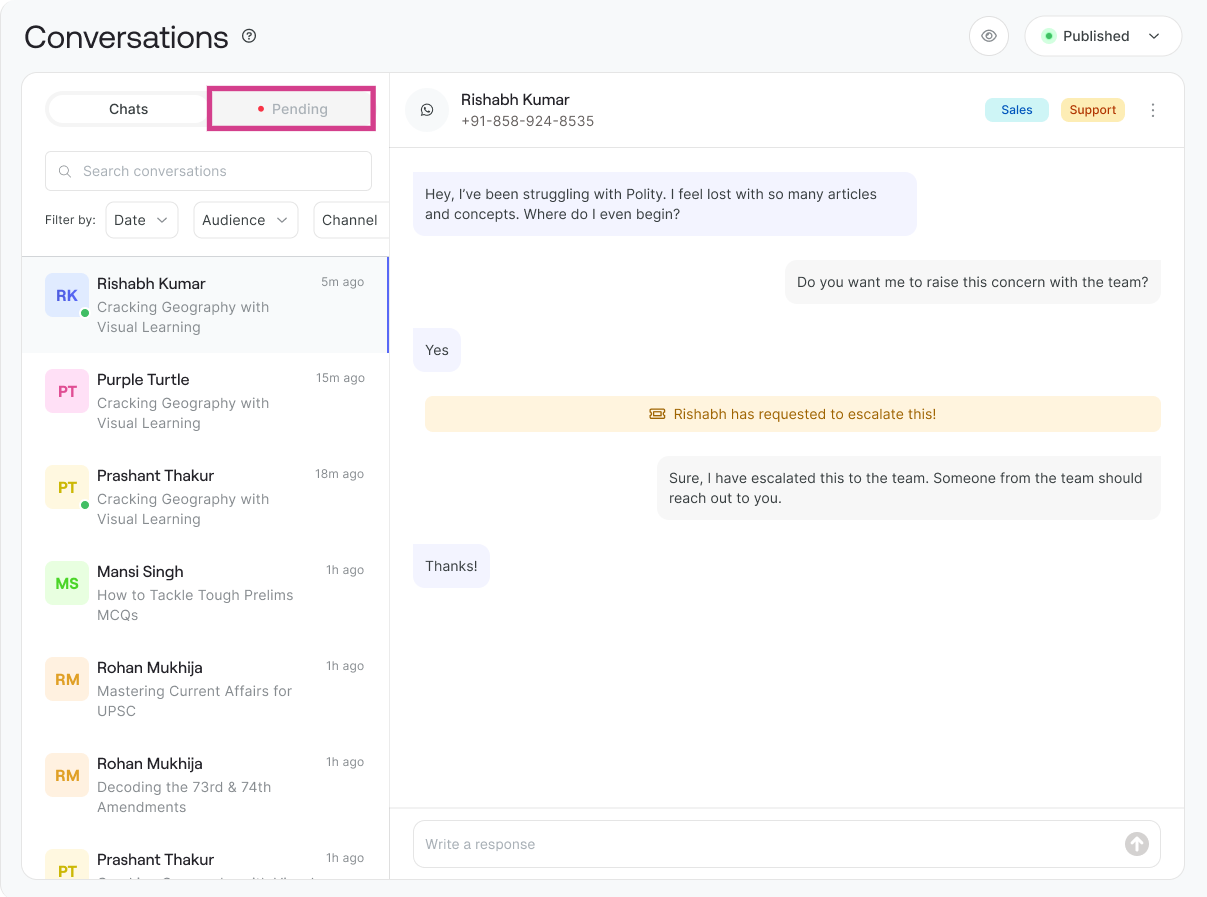
Step 1: Introducing the all-new Pending Tab under Agent Conversations Tab
Once you get notified, you can navigate to the Agent section from your dashboard. Under the Conversations tab, you will see a new tab called Pending. This tab contains all the concerns and issues that learners have raised and escalated to you.
You can identify the source of each conversation in the Conversation tab:
• WhatsApp Conversations: Conversations escalated via WhatsApp will display a WhatsApp logo for easy identification
• Platform/ Agent Conversations: Conversations from your platform's AI agent will display a web logo
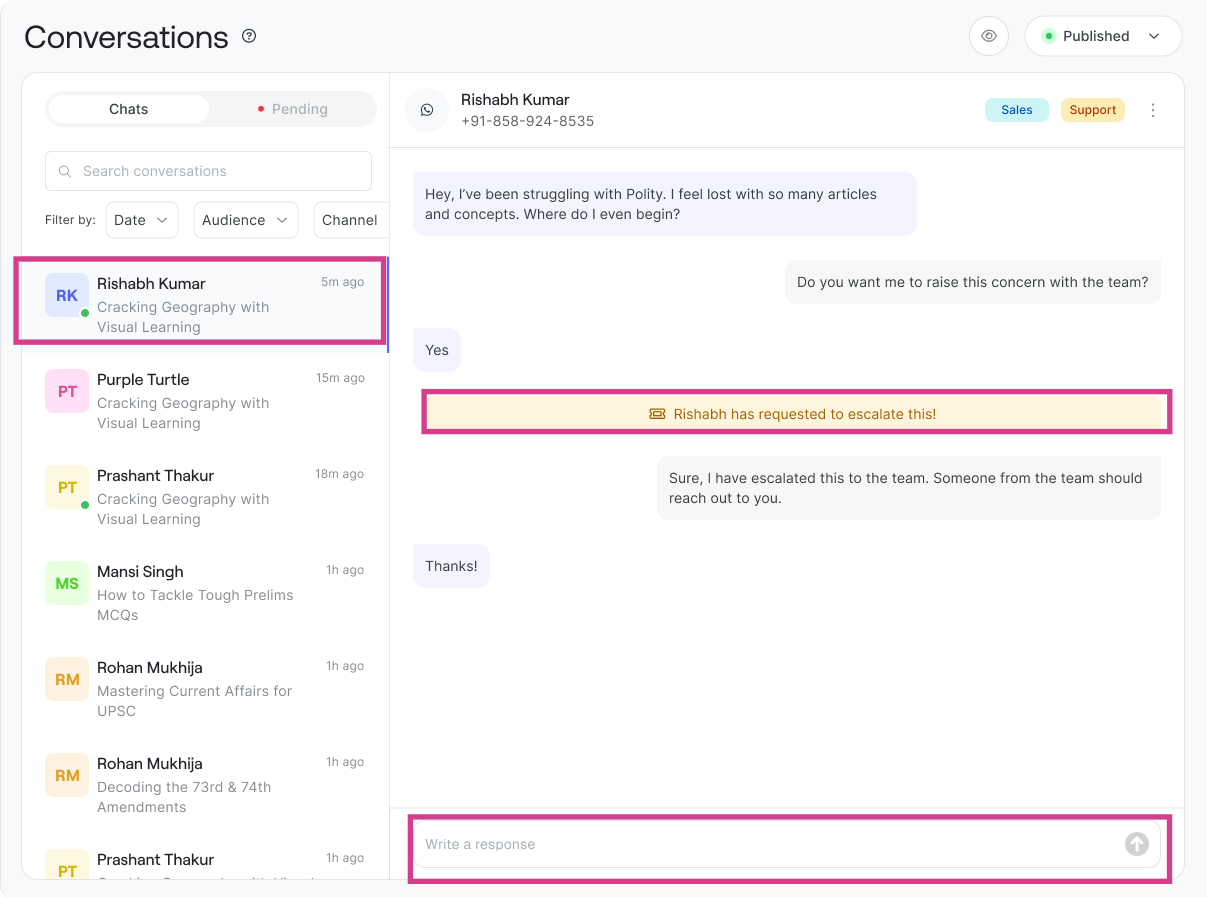
Step 2: Open the Chat and Address the Learner's Concern
Click on any conversation in the Pending tab to open the chat. Review the details of the learner's concern and provide a thoughtful response. You can address the issue directly and reply to the learner with personalized support and guidance.
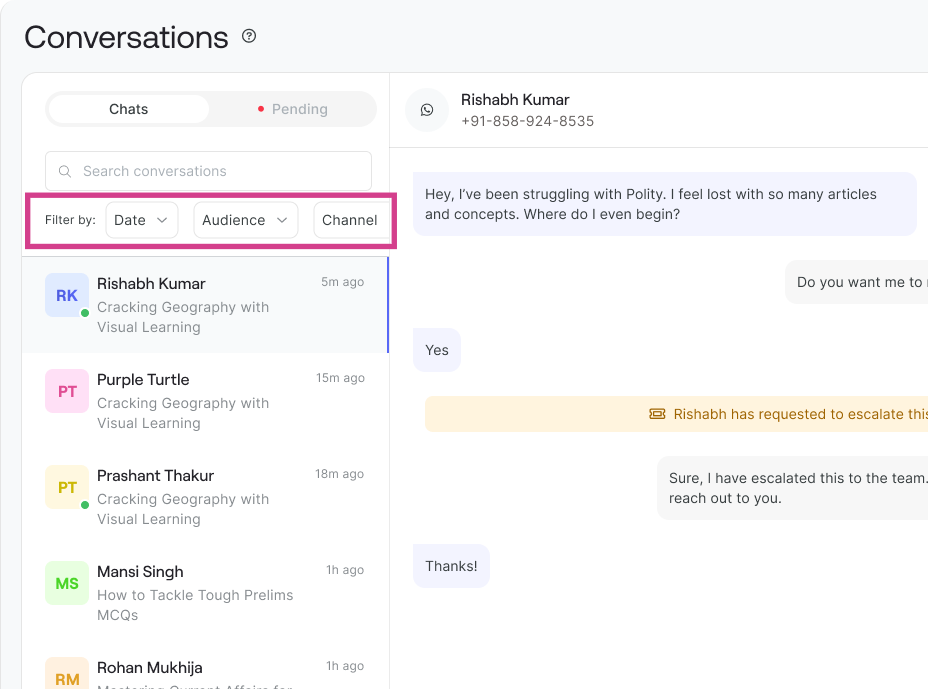
Use Filter Options to Organize Conversations
You can also use multiple other features to filter conversations efficiently. You can filter conversations by:
• Type: Filter by conversation source (WhatsApp/Web/iOS/Android)
• Date: Filter conversations by date range to view recent or older concerns
• Audience: Filter by learner or audience segments to prioritize specific groups
Use these filter options from the respective dropdowns to quickly find and prioritize the conversations you need to address first.
Important: WhatsApp Response Time Policy
Please note: If a concern is raised via WhatsApp, you have 24 hours to reply to the conversation as per WhatsApp's official policy. This ensures compliance with WhatsApp's messaging guidelines and maintains a smooth communication flow with your learners.
Make sure to monitor your pending conversations regularly and respond promptly to maintain learner satisfaction and trust.
Set up Email Alerts or Webhooks to get notified
You can set up how you want Agent to notify you, everytime a learner escalates a message. Learn how you can define Notify Me Settings under Agent Behaviour
Was this article helpful?
That’s Great!
Thank you for your feedback
Sorry! We couldn't be helpful
Thank you for your feedback
Feedback sent
We appreciate your effort and will try to fix the article