You can now send broadcast email campaigns to any audience by uploading a CSV of email addresses. The recipients don't need to be existing learners on your platform.
Note: CSV upload is available only for Broadcast campaigns, not trigger-based ones.
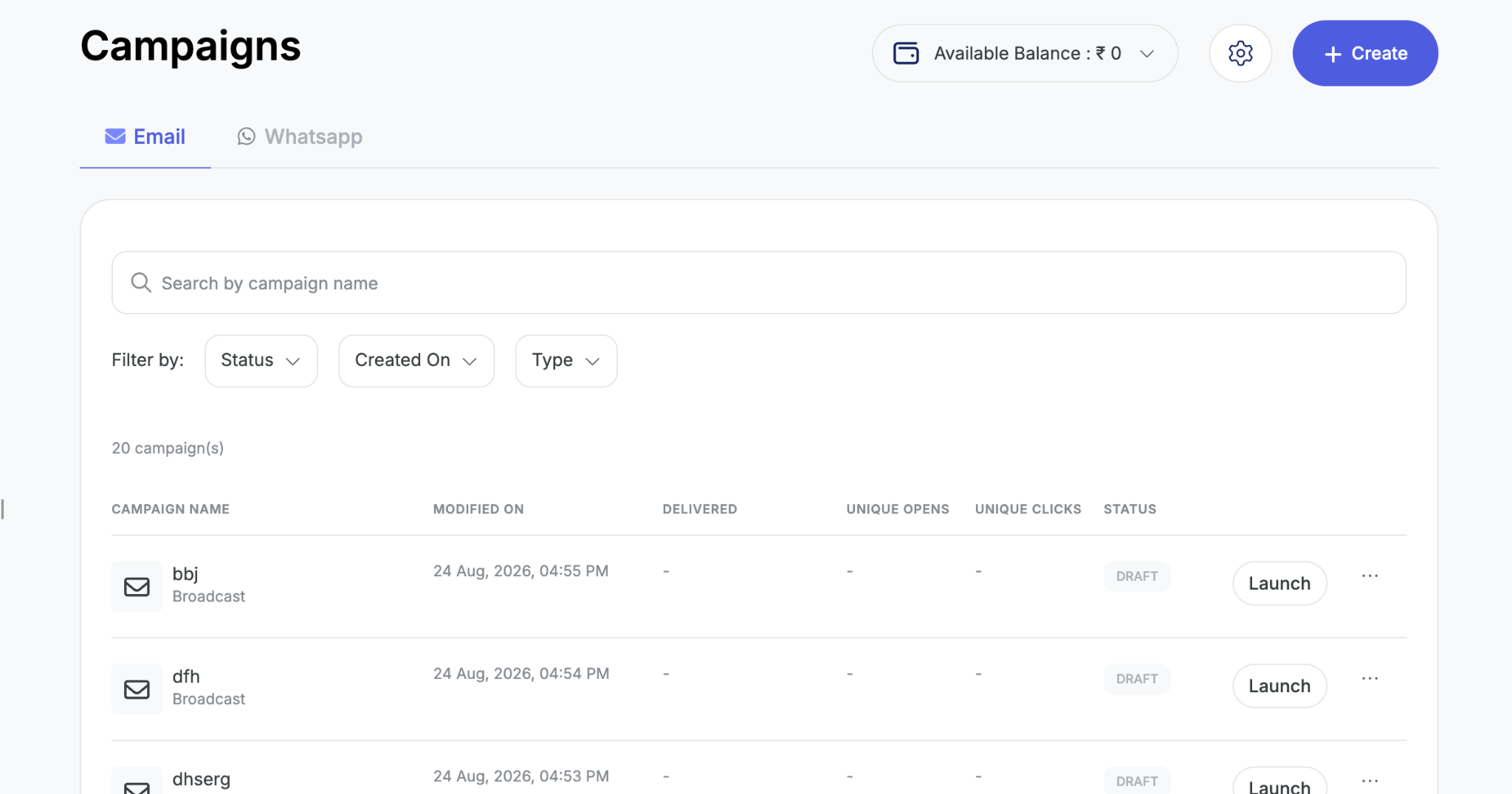
1. Go to Marketing → Campaigns and click Create.
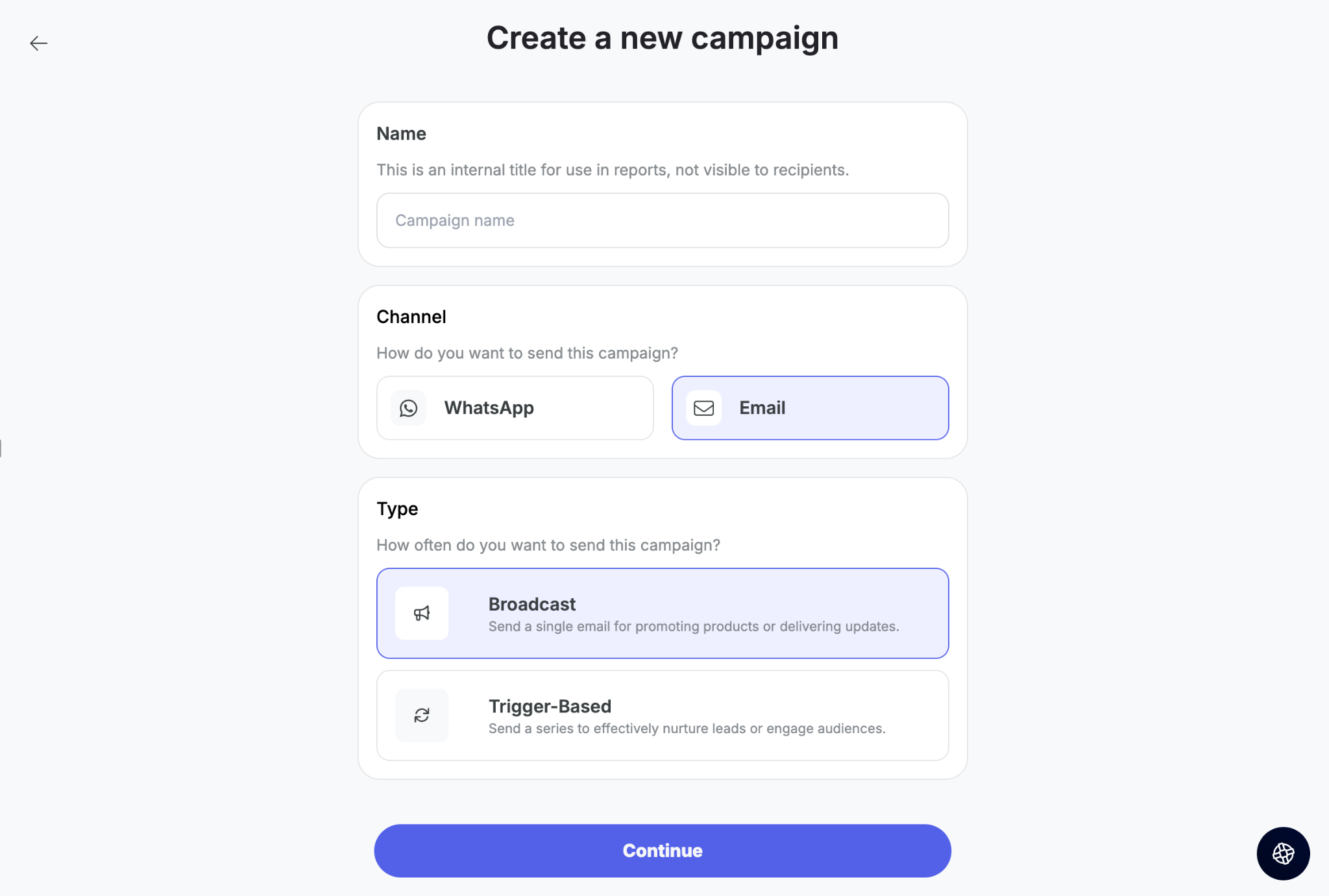
2. Select Email, then choose Broadcast.
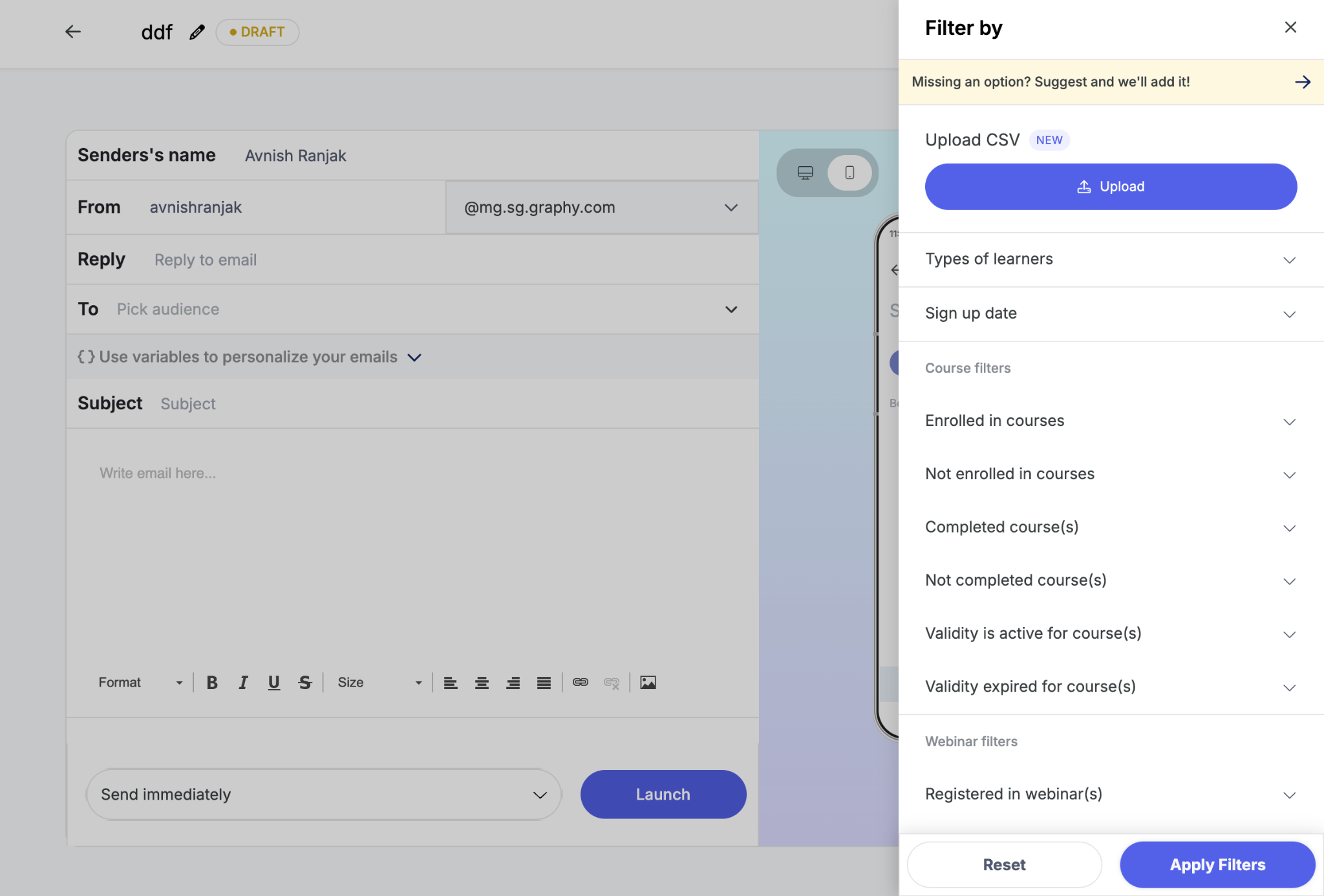
3. Create your email template. Unlike WhatsApp, email templates don't need pre-approval — you can build your own and add any dynamic variables you want to personalise the message. In the To section, select Upload CSV.
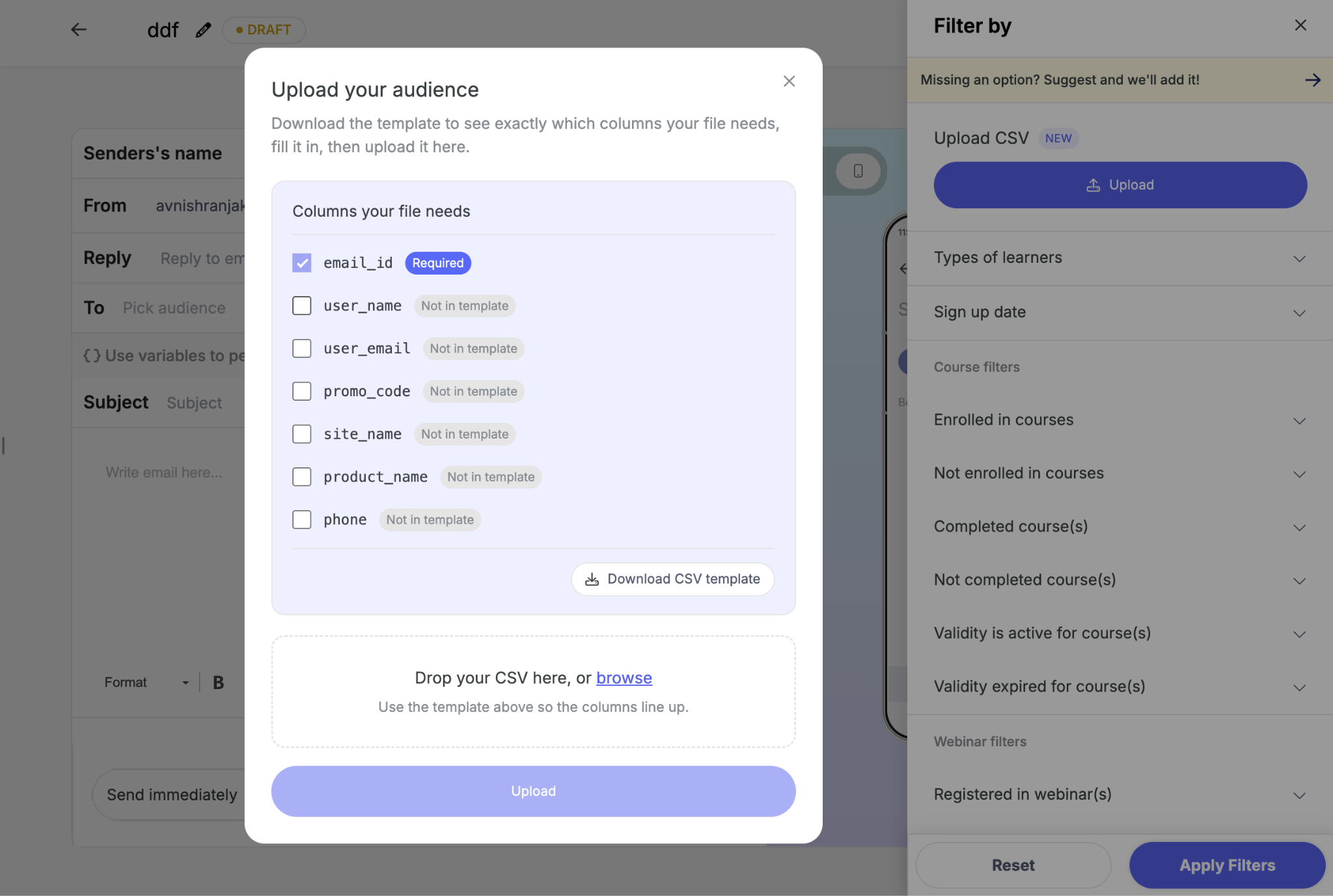
4. The upload screen shows which columns your CSV must contain, based on the dynamic variables in your template. Download the sample CSV once your variables are selected — column names must exactly match the variables used in the template.
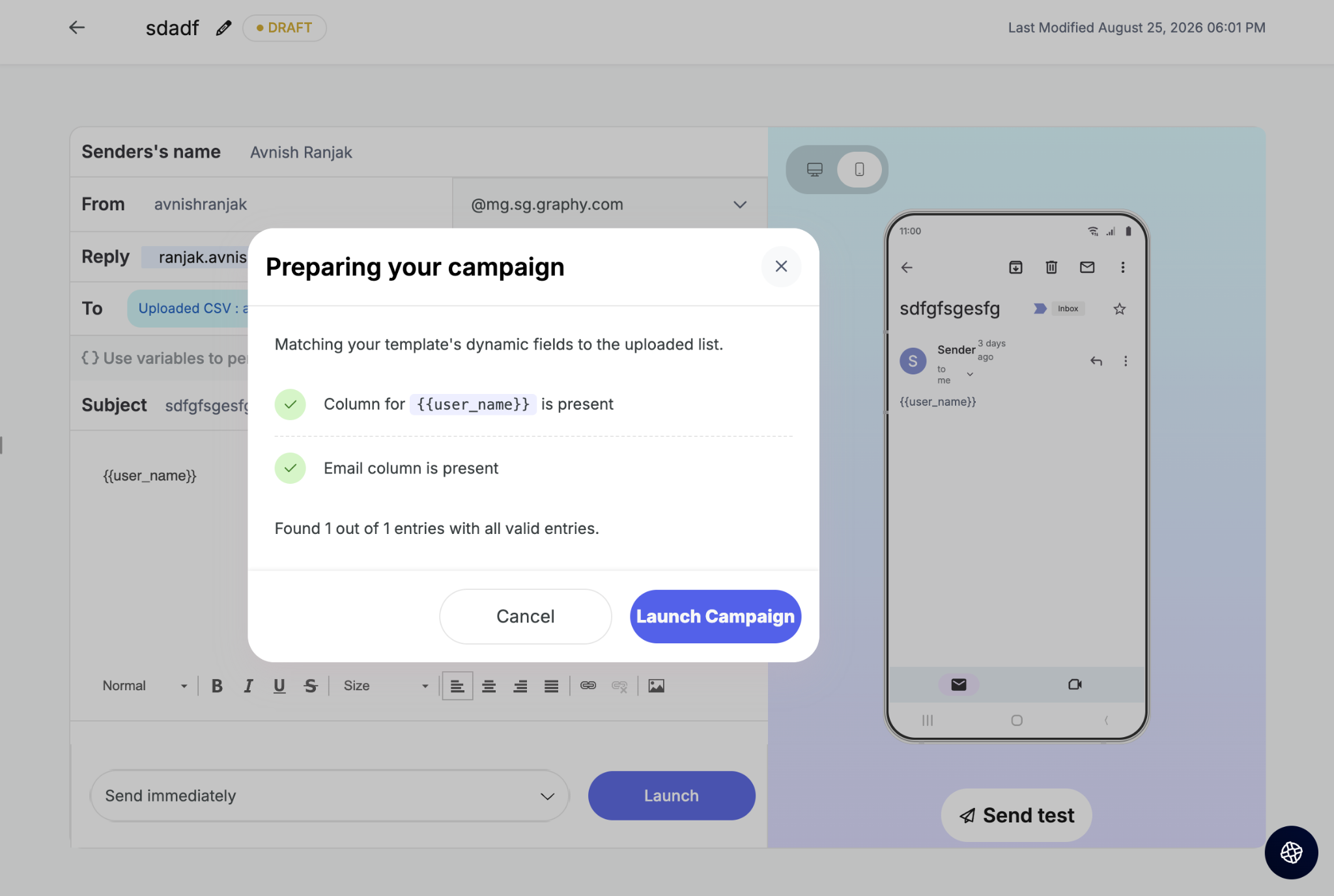
5. Upload the file and click Launch. Graphy validates the file and confirms whether the columns are correct and how many entries are valid.
Was this article helpful?
That’s Great!
Thank you for your feedback
Sorry! We couldn't be helpful
Thank you for your feedback
Feedback sent
We appreciate your effort and will try to fix the article