

#

How do I apply a template to my existing website?

Created by Avnish Ranjak, Modified on Thu, 30 Jul at 5:56 PM by Avnish Ranjak


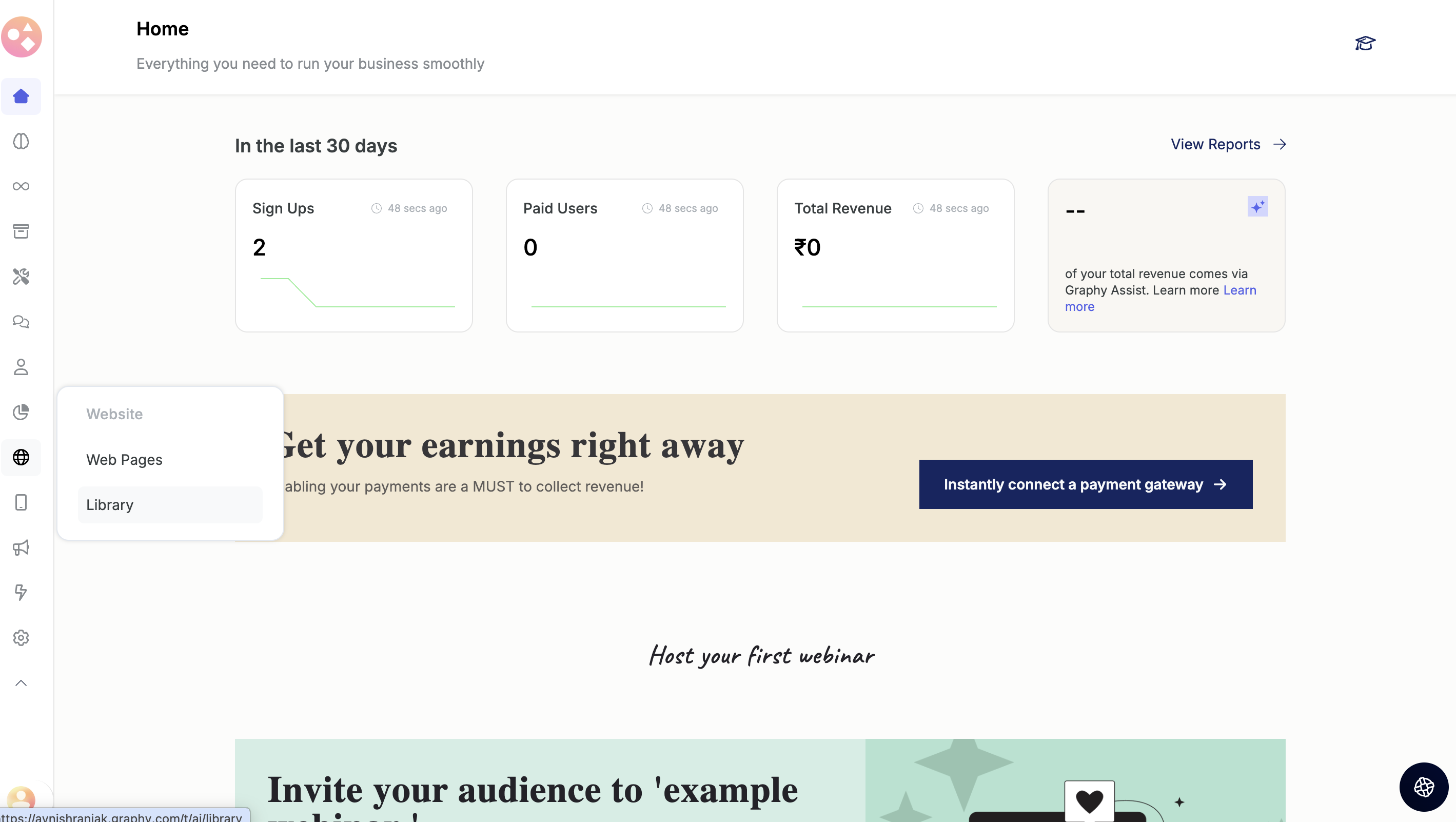
  1. Open the Library in your Website Builder.


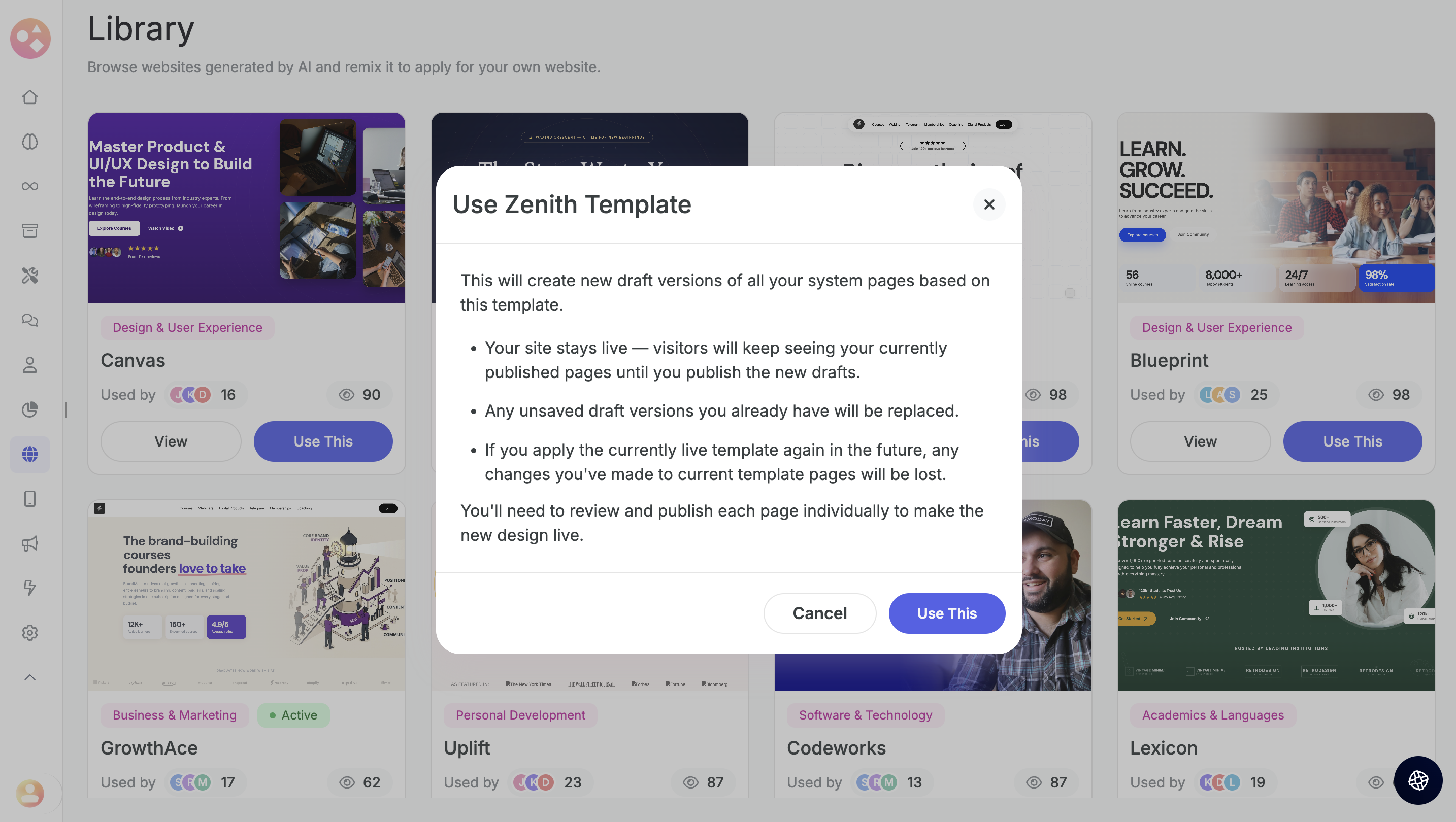
        2. Browse and pick any template you like.


        3. Click Use this design — it applies the design to all pages of your website.


        4. Review the changes and publish each page individually once you're satisfied — and since all versions are saved, you can roll back to a previous one anytime.


Was this article helpful?

That’s Great!

Thank you for your feedback

Sorry! We couldn't be helpful

Thank you for your feedback

Let us know how can we improve this article!

Select at least one of the reasons
CAPTCHA verification is required.

Feedback sent

We appreciate your effort and will try to fix the article