An Ask Me Anything, or AMA, is a live Q&A session that runs inside a Community Feed post. For a set amount of time defined by Admin, members can ask you anything on the post, and you answer their questions one by one. Only admins can create an AMA, but every member with access to the channel can ask questions on it.
This article walks you(admins) through creating an AMA, adding co-hosts, scheduling it, and how questions work while it’s live and after it ends.
A. How to create an AMA
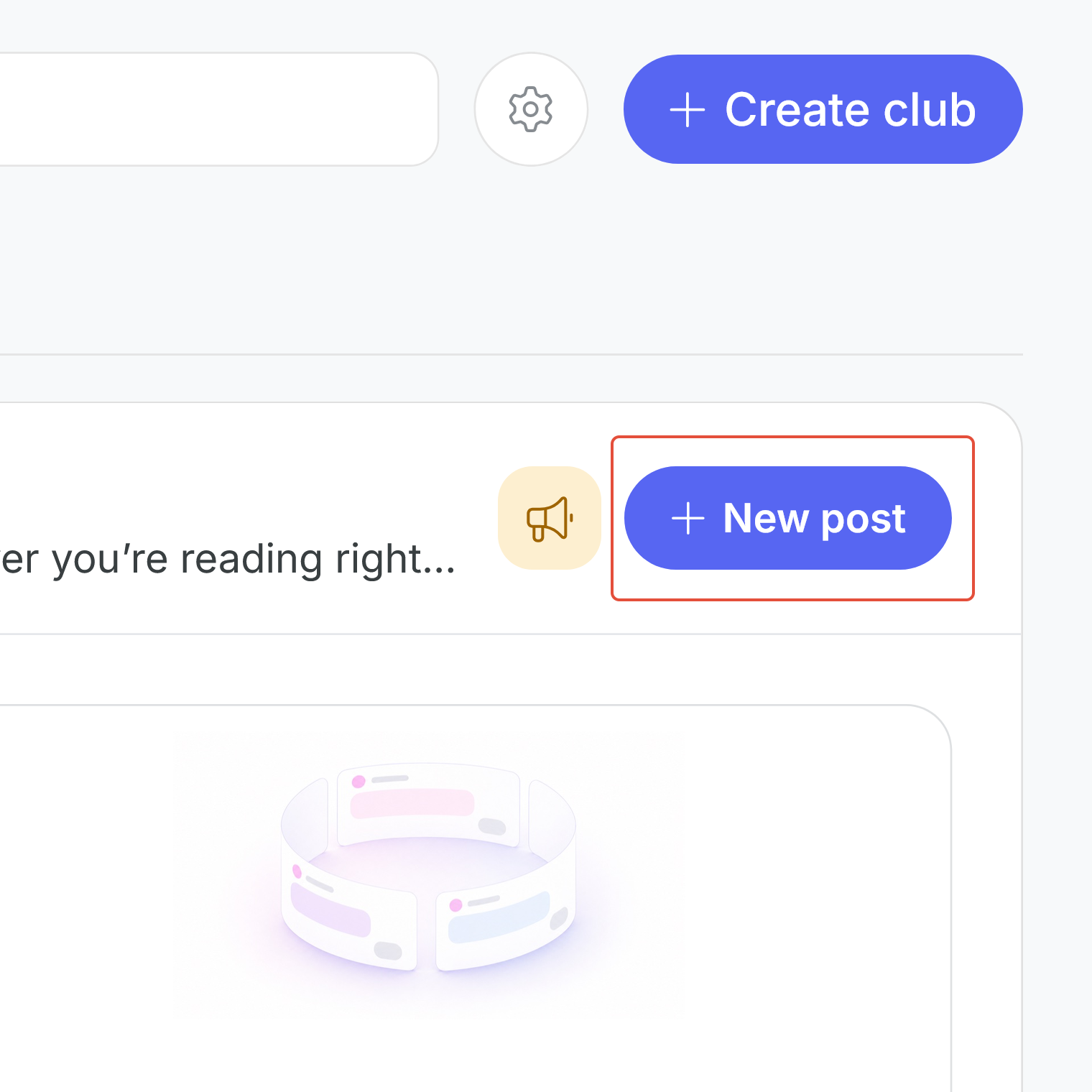
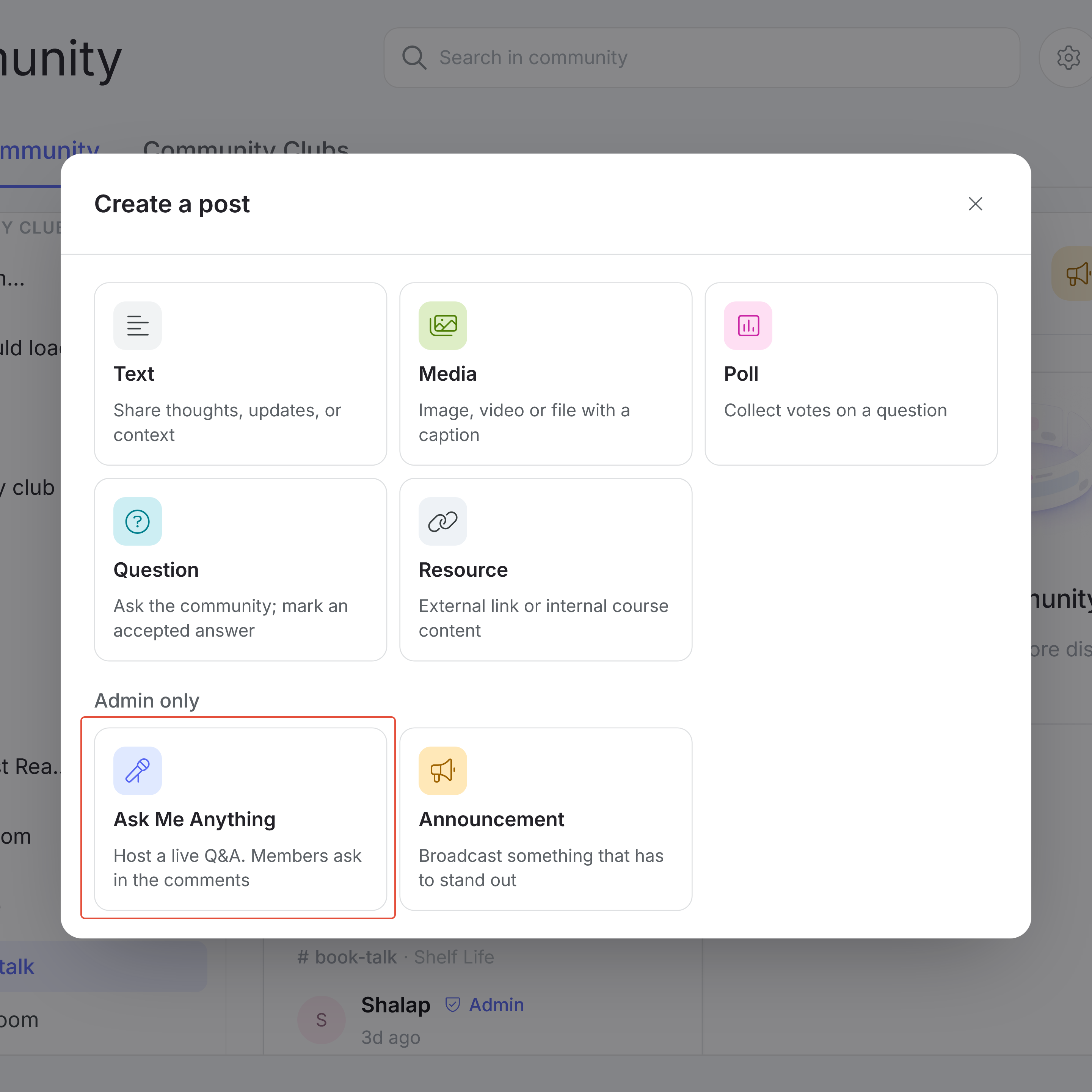
Inside a Feed channel, click the “+ New post” button and choose Ask Me Anything from the “Admin only” section of the pop-up.
From there, set the following:
- Channels: The Feed channels the AMA goes to, up to 5 at a time (required)
- Title: The topic of your AMA, up to 100 characters
- Body: Context for your members about what the AMA is about, up to 1,500 characters (required)
- Host(s): Other admins who will answer questions with you
- Duration: How long the AMA takes questions, set in days, hours and minutes. It's set to 60 minutes by default, and a preview line shows exactly when it will close (required)
- Schedule the AMA: You can also schedule the AMA at a given date and time, and it will go then. It will also start showing under the schedule tab.
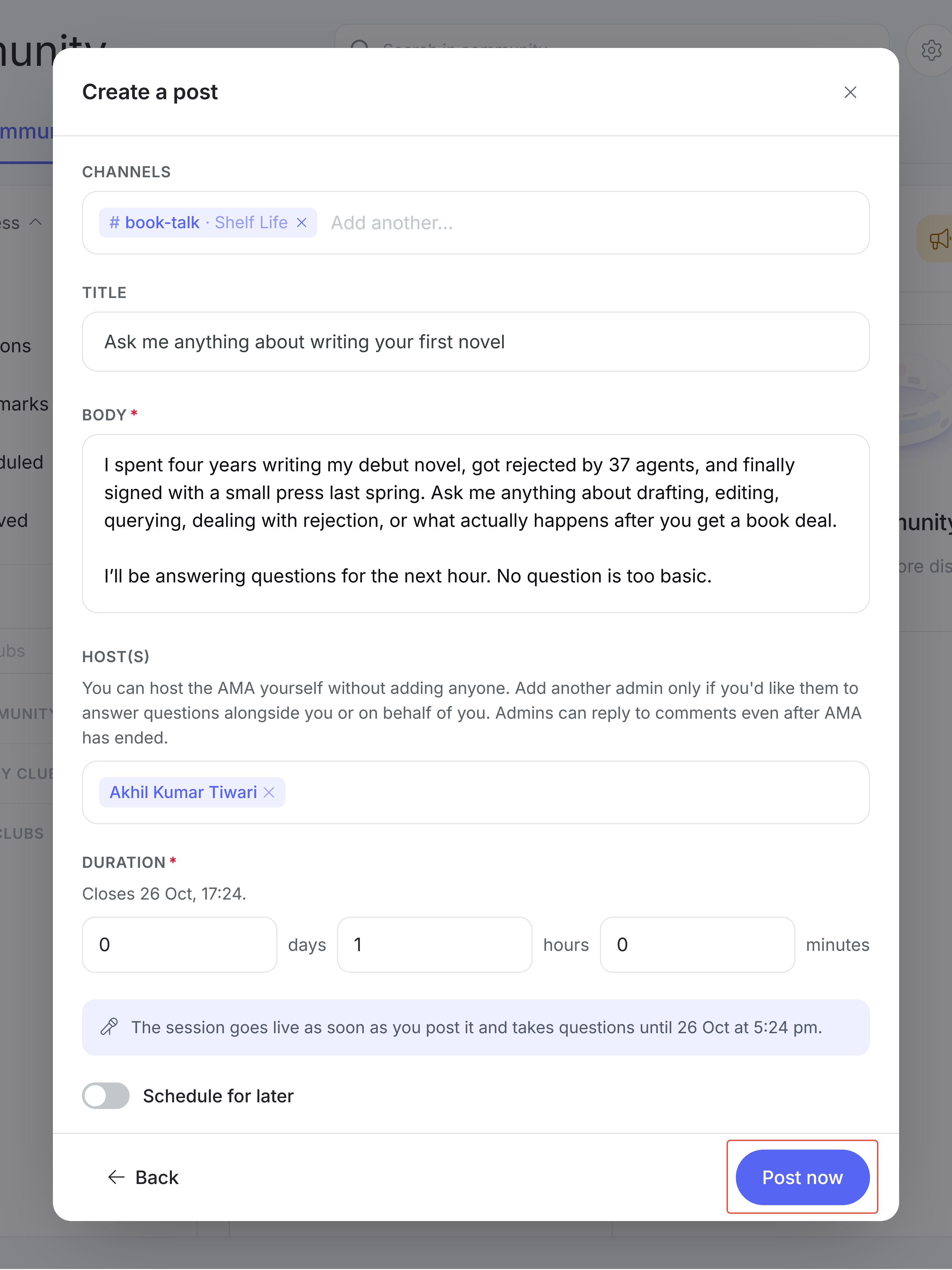
Click “Post now” and your AMA goes live straight away. The AMA gets posted to all the selected Feed Channels, and also to the Global Feed Tab.
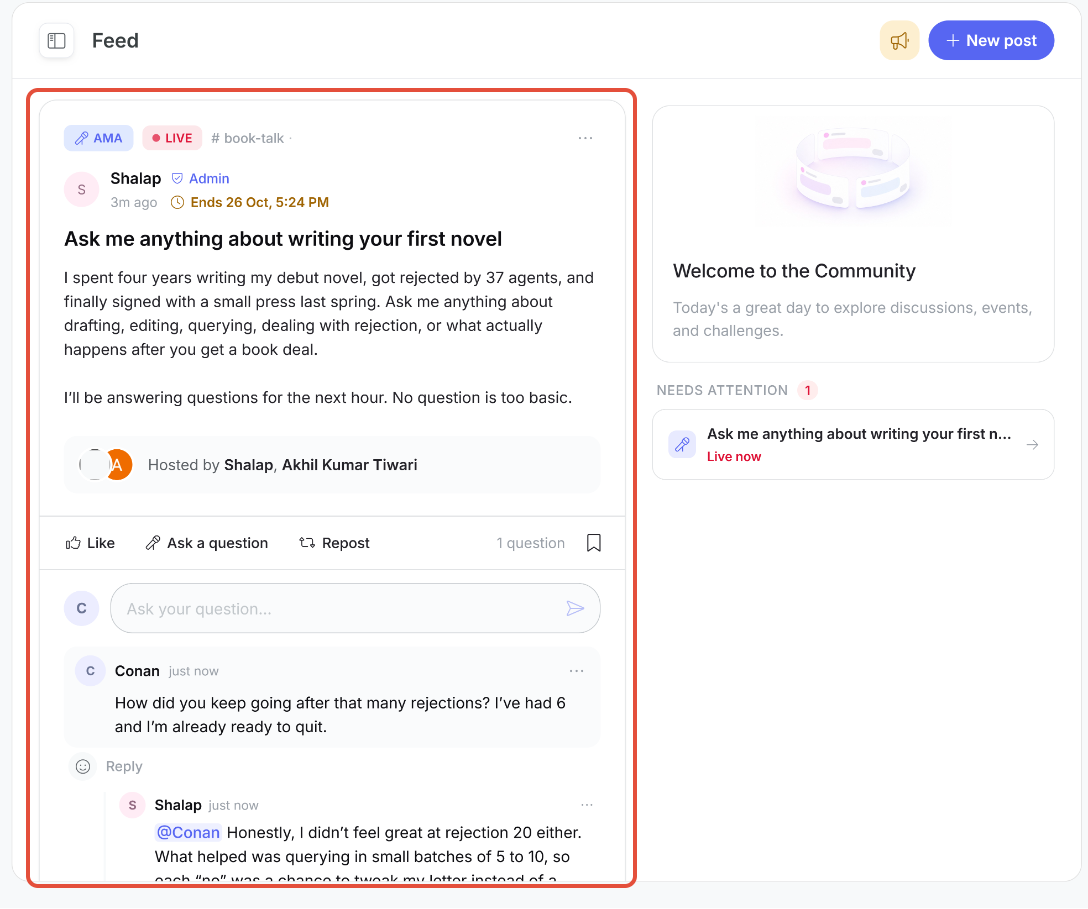
A live AMA
B. Adding of Hosts to AMAs
You’re the host of your AMA by default, so you can run it on your own without adding anyone. If you’d like other admins to answer questions alongside you, or on your behalf, add them from the Host(s) dropdown. Everyone hosting the AMA is shown on the post under “Hosted by,” so members know who’ll be answering.
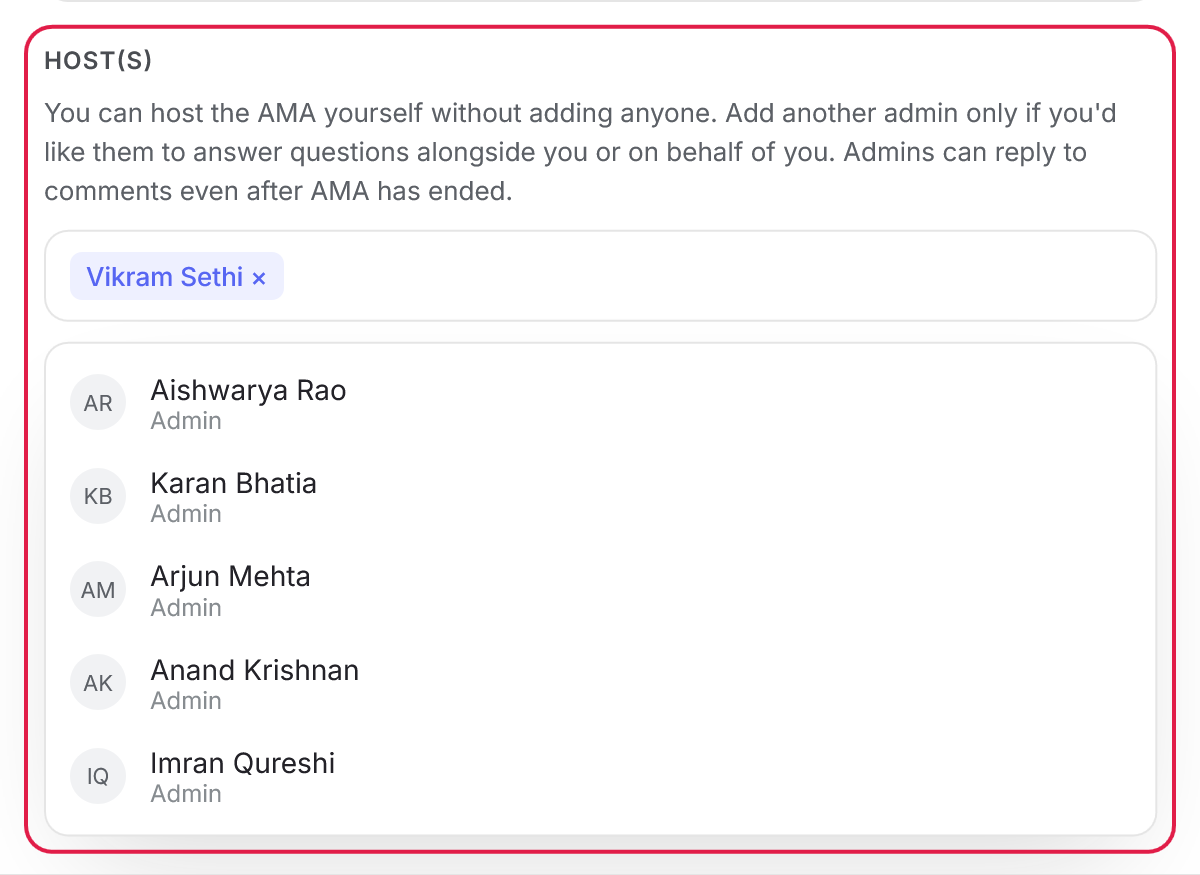
Host dropdown
C. While the AMA goes live
A live AMA shows a LIVE tag along with its end time and a countdown, so members know how long they have to ask. Live AMAs also show up under "Needs Attention" on the right side of the Feed.
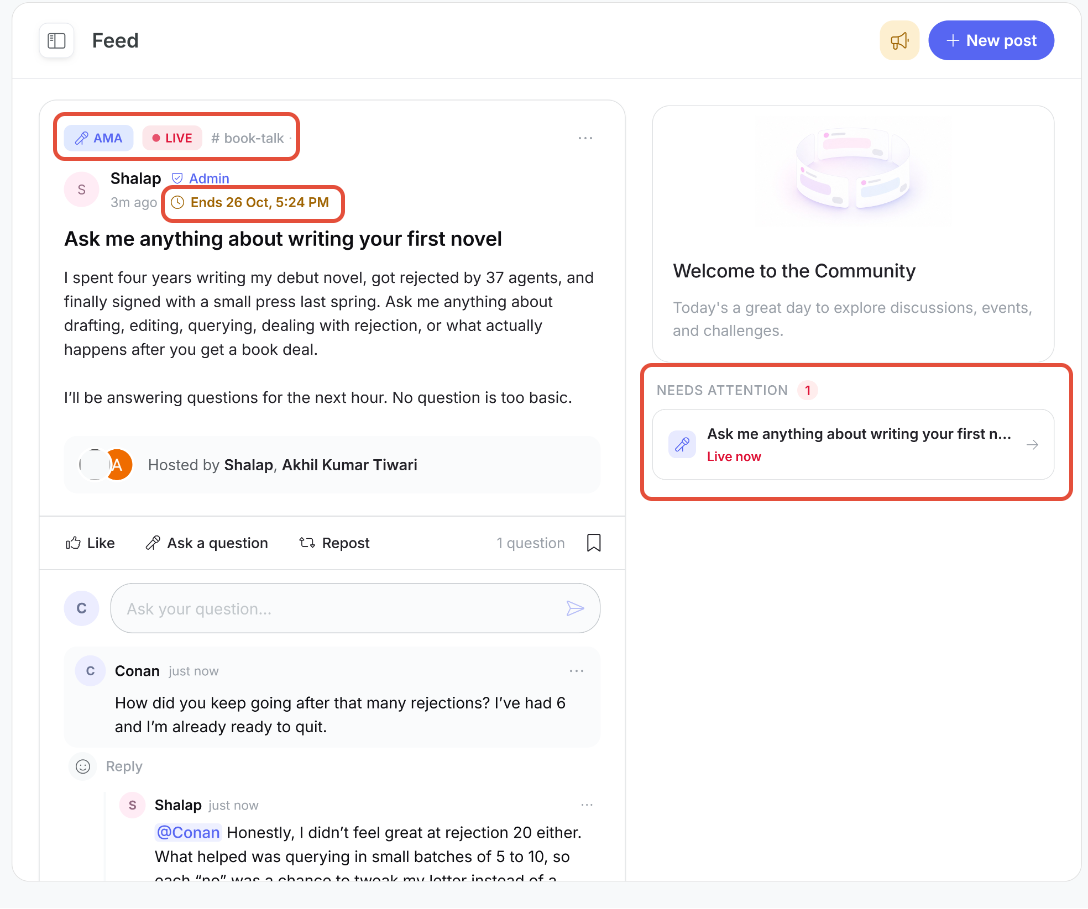
A live AMA
Questions on an AMA work a little differently from comments on other posts:
- Each question a member asks starts its own thread.
- Only the member who asked the question and the hosts can reply in that thread. Other members can read every thread, but can't reply in them. They can react.
- A member with a different question asks it as a new question, which starts a new thread.
D. After the AMA ends
Once the duration runs out, the LIVE tag changes to Ended and the AMA no longer shows under Needs Attention as well. No one can ask new questions at this point, but hosts can still reply to questions in existing threads.
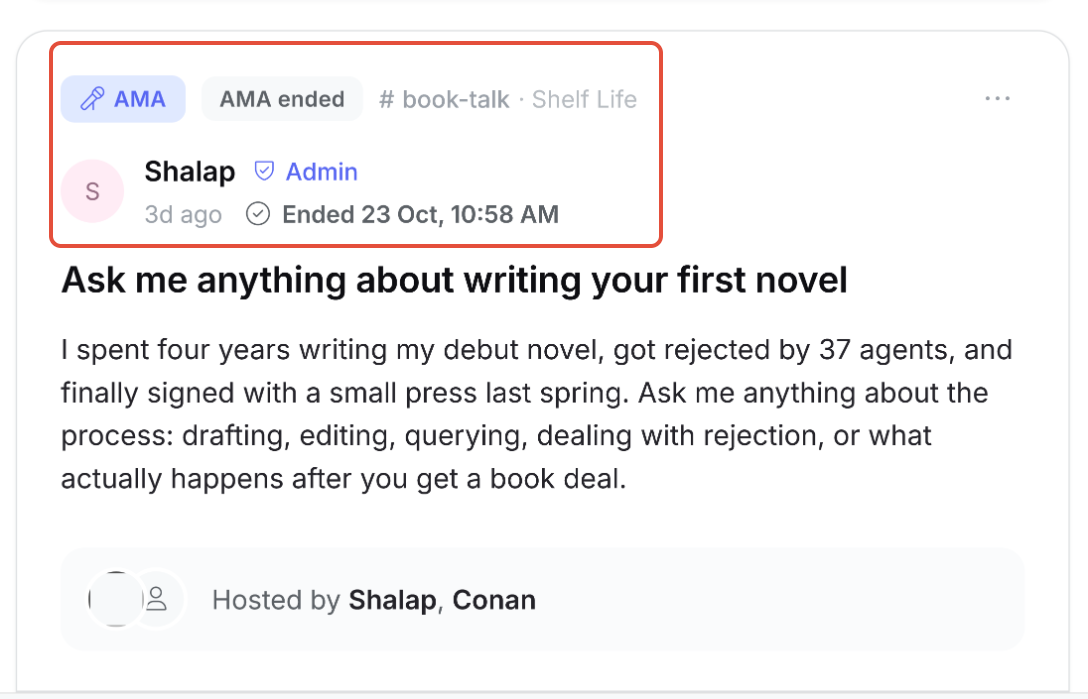
An ended AMA
Was this article helpful?
That’s Great!
Thank you for your feedback
Sorry! We couldn't be helpful
Thank you for your feedback
Feedback sent
We appreciate your effort and will try to fix the article