What is Graphy Community?
Graphy Community is a space where learners and creators can connect and engage. You, as a creator can can use it to share reminders, announcements, and stay connected with learners.
An Improved Search Experience
The search feature in Community has been improved to make finding information easier and faster. Now you can find exactly what you're looking for with better results.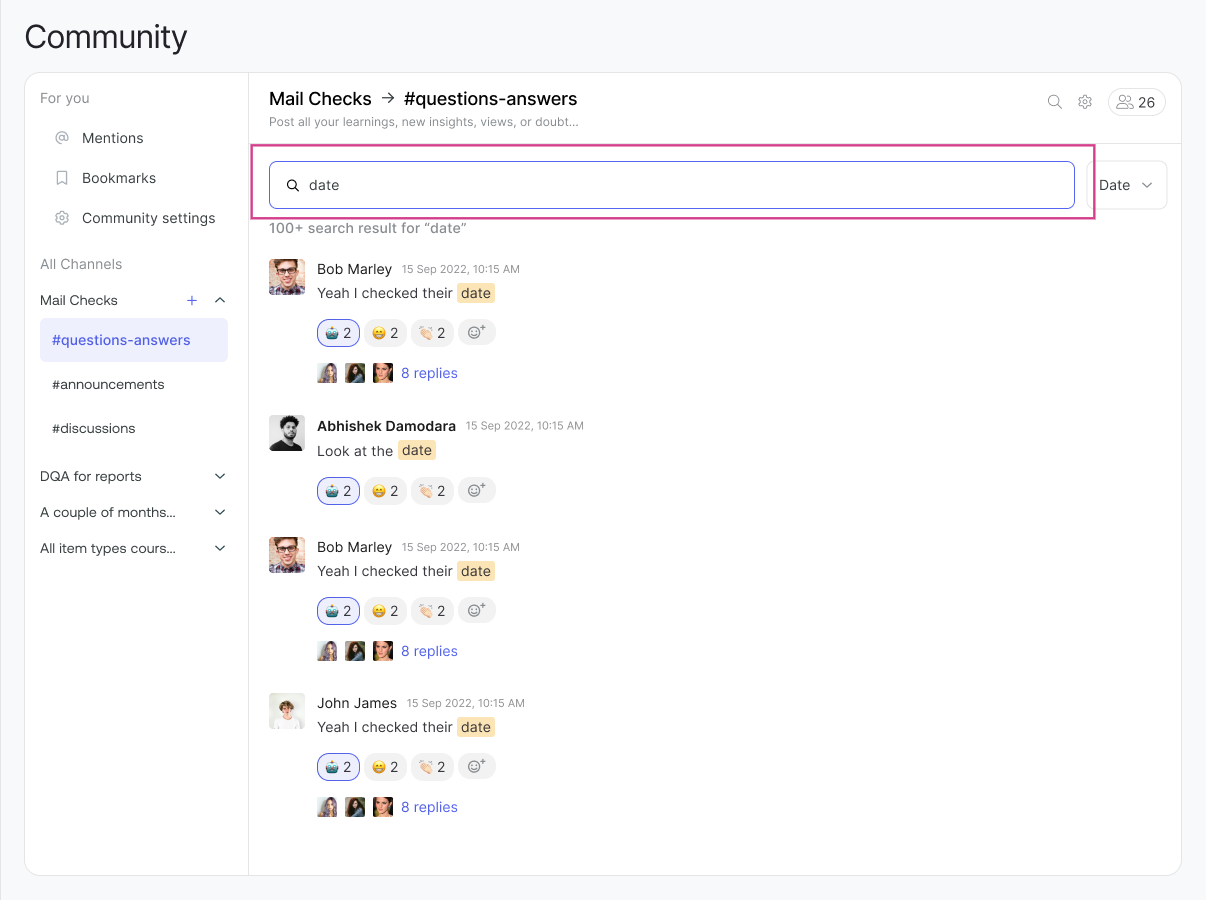
How to Search
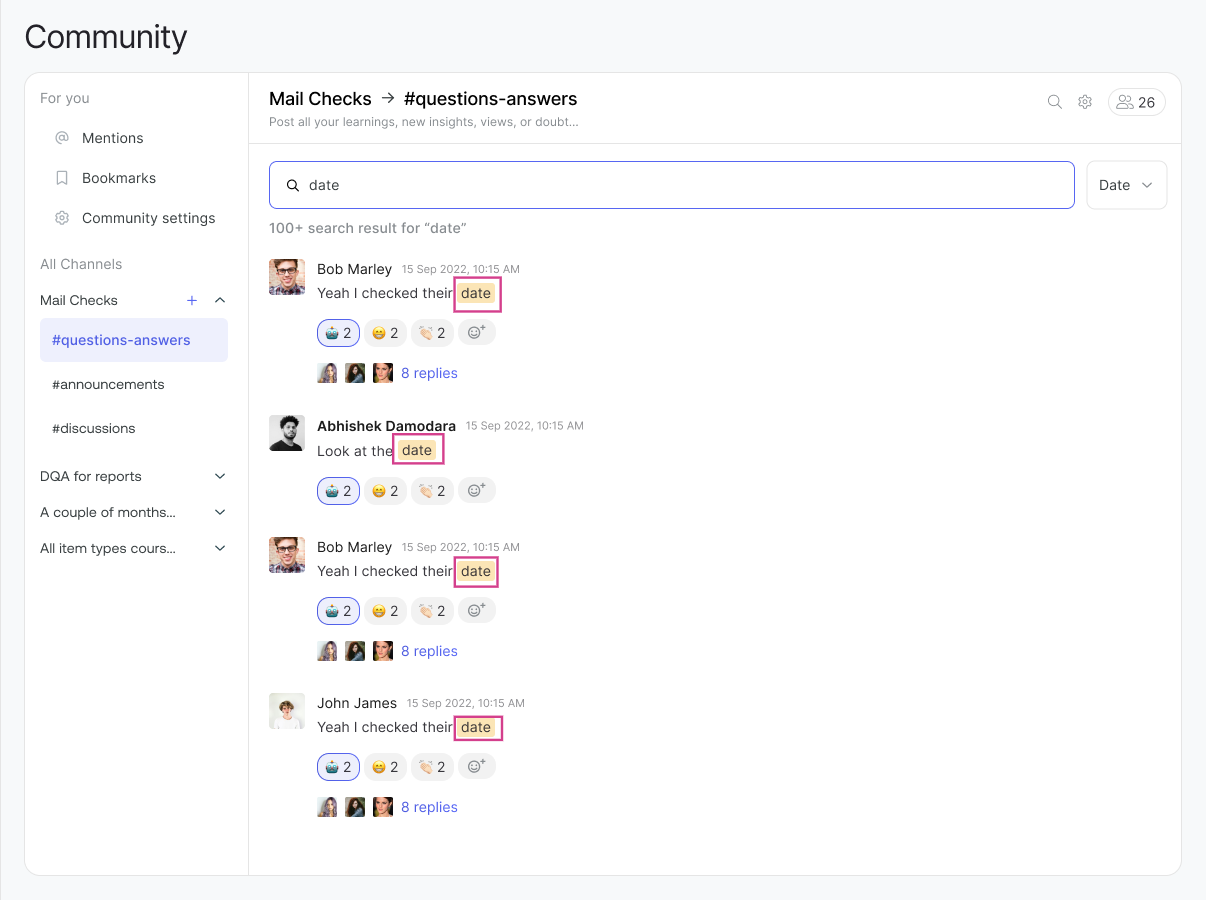
You can search for anything in the Community using our search feature. Just enter what you're looking for, and the relevant chats will appear. Your search term will be highlighted in the chat messages, and you can easily locate the same both on the conversation header.
Search inside Threads
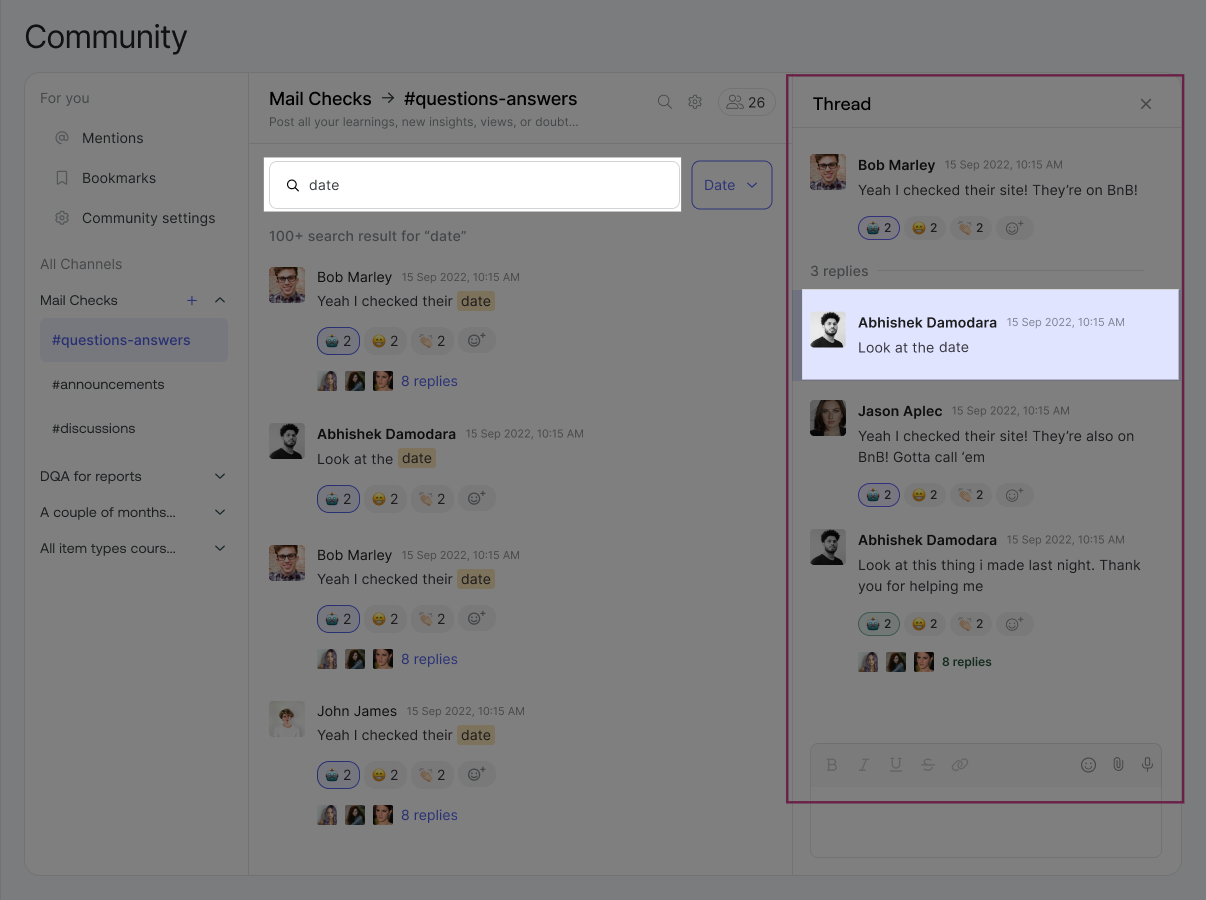
If your search term appears in a thread, the specific chat message will be highlighted within that thread. This makes it easy to find discussions without scrolling through long conversations.
Filter Results by Date
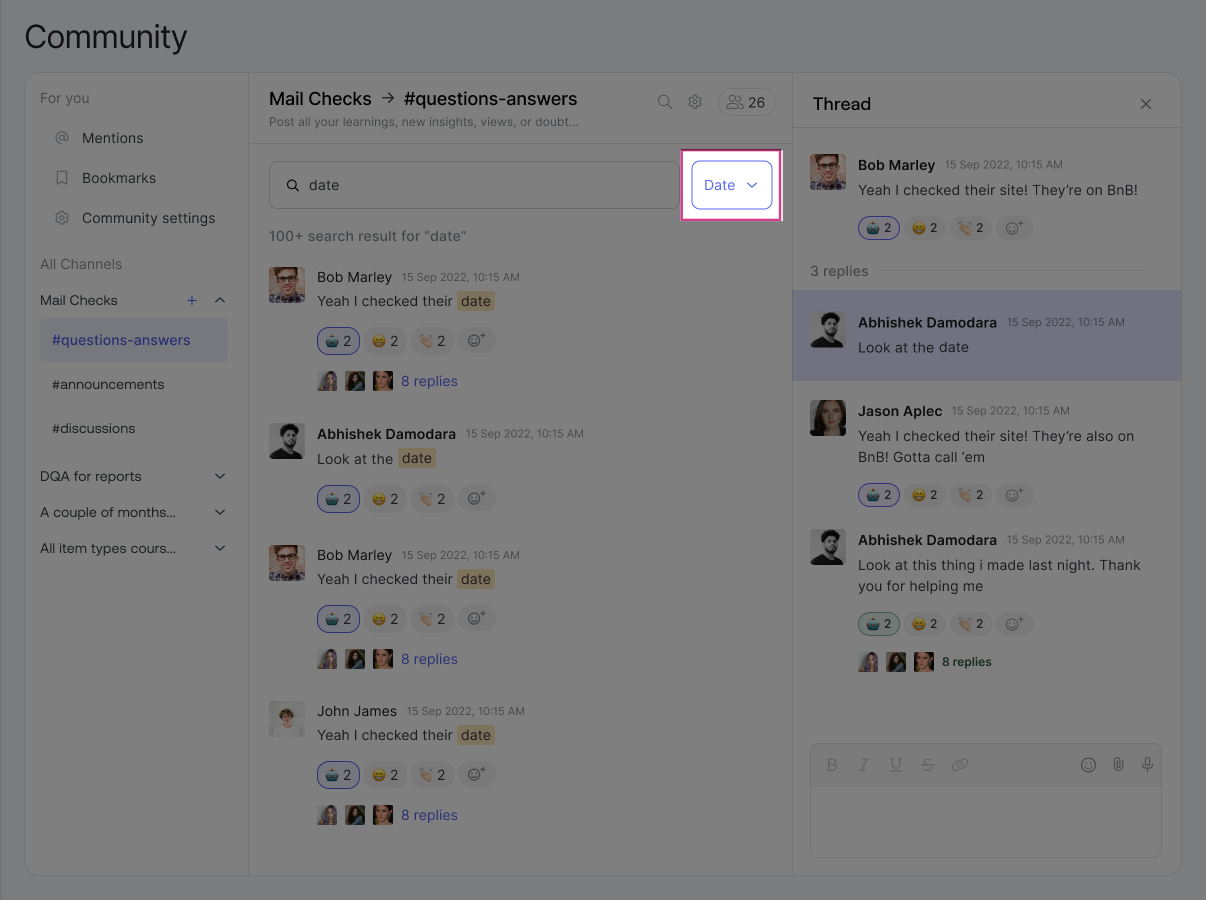
A date filter has been added to help you narrow down results. You can filter chats based on when they were posted, making it faster to find recent or older conversations.
Start Exploring Community
With these improvements, learners and creators can now find information faster and engage more easily in the Community. Go start using the revamped Community today!
Was this article helpful?
That’s Great!
Thank you for your feedback
Sorry! We couldn't be helpful
Thank you for your feedback
Feedback sent
We appreciate your effort and will try to fix the article