As your community grows, keeping every conversation on track yourself can get difficult. Moderators help with that. A moderator is a member you trust to look after specific channels, keeping discussions healthy and removing anything that doesn’t belong, while you stay in control of your community as a whole.
This article walks you through what a moderator can do, how to add one, and how to manage your moderators once they’re set up.
What can a moderator do
Anyone you make a moderator gets access to the entire Club their channels belong to, but can only act as a moderator in the channels you assign to them. In those channels, a moderator can:
Create any type of post, including Ask Me Anything and Announcement posts, which members can't createDelete posts, comments and replies in Feed channelsDelete messages and replies in Chat channelsPin and unpin messages in Chat channels
These permissions are the same for every moderator. The only thing you control is which channels each moderator can act in.
How to add a moderator
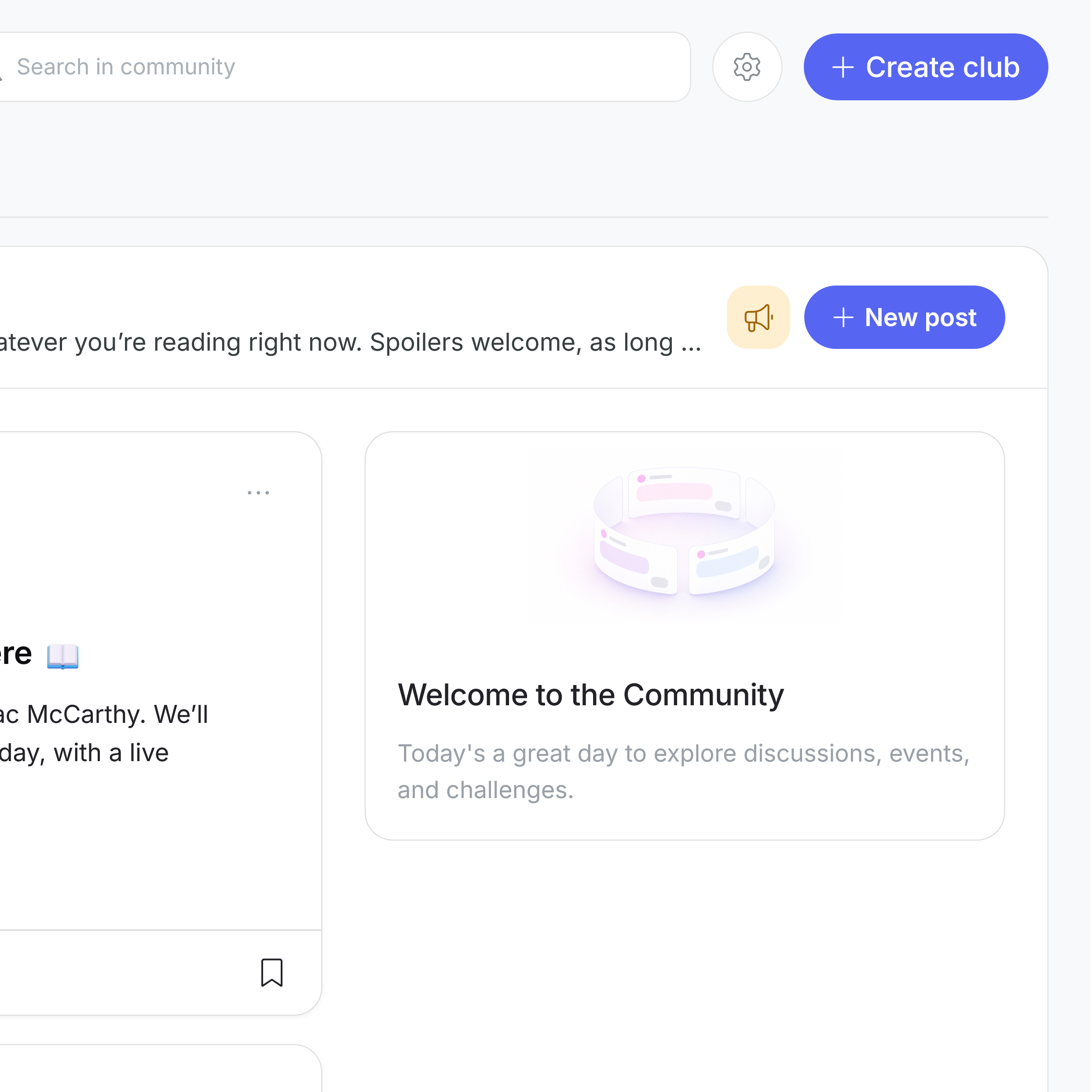
Moderators are managed from Community Settings. To add one:
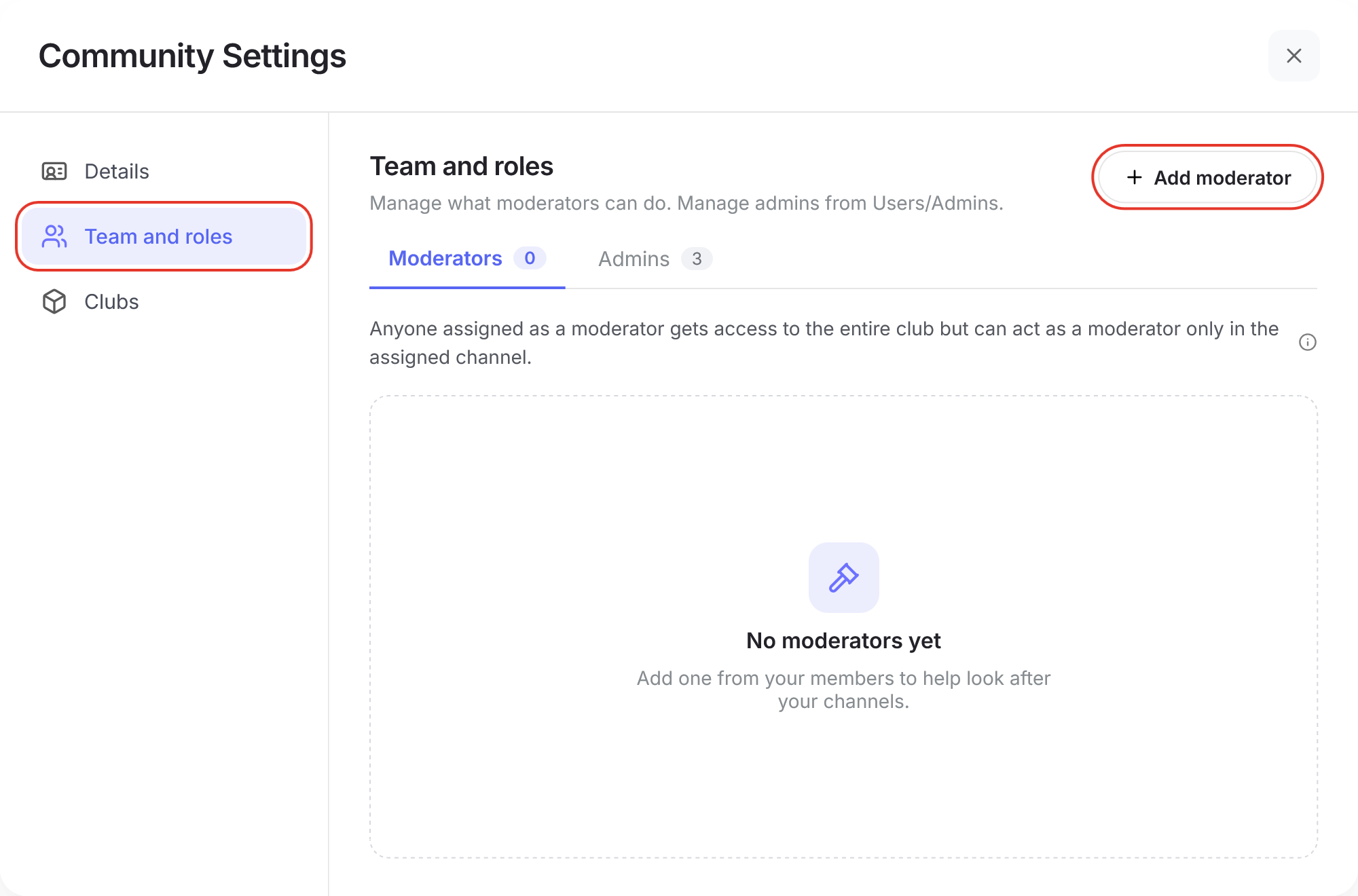
Go to Community Settings and open Team and roles.
Click "+ Add moderator"
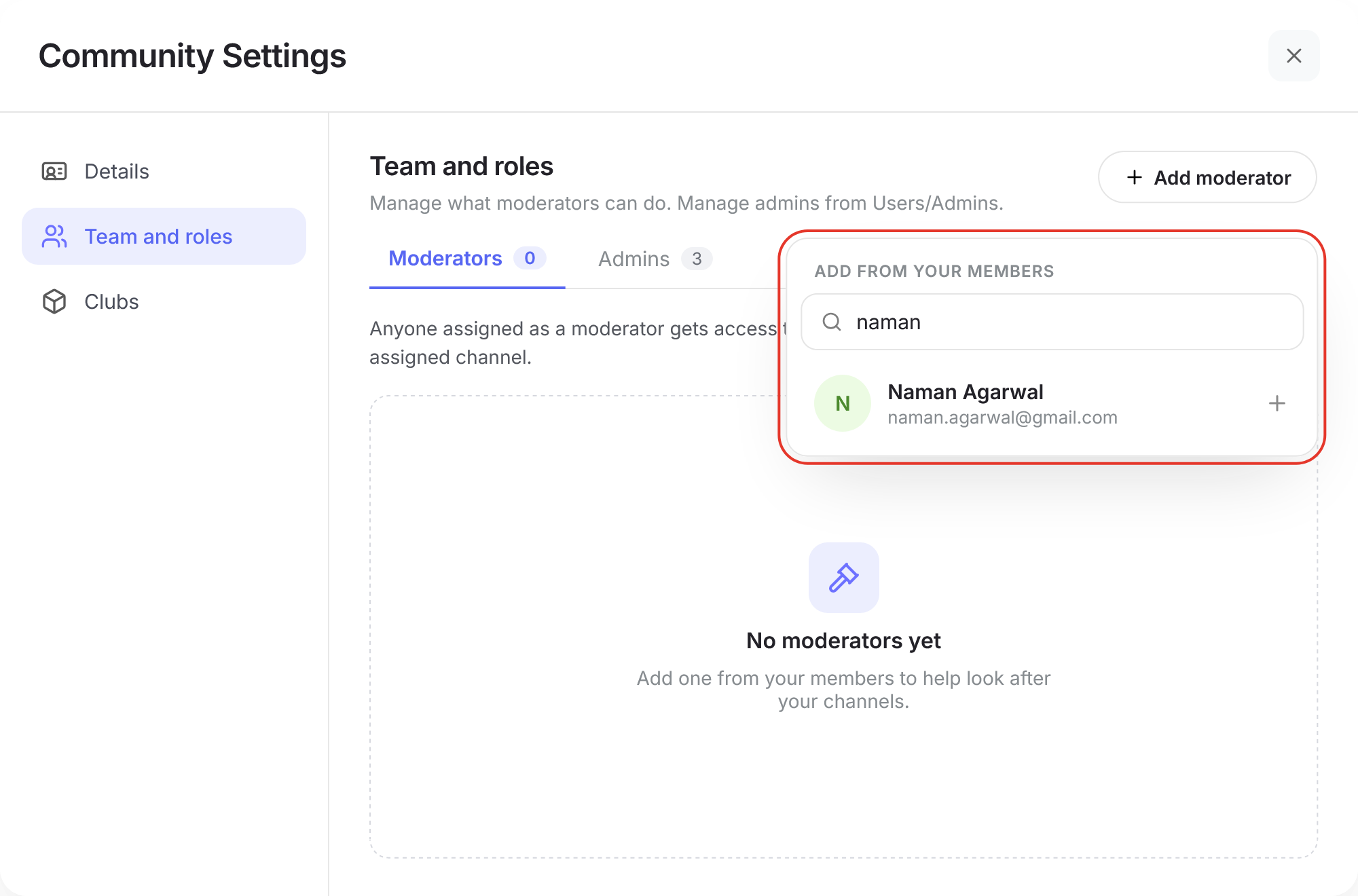
Select the member you want to make a moderator
Choose the channels they can moderate.
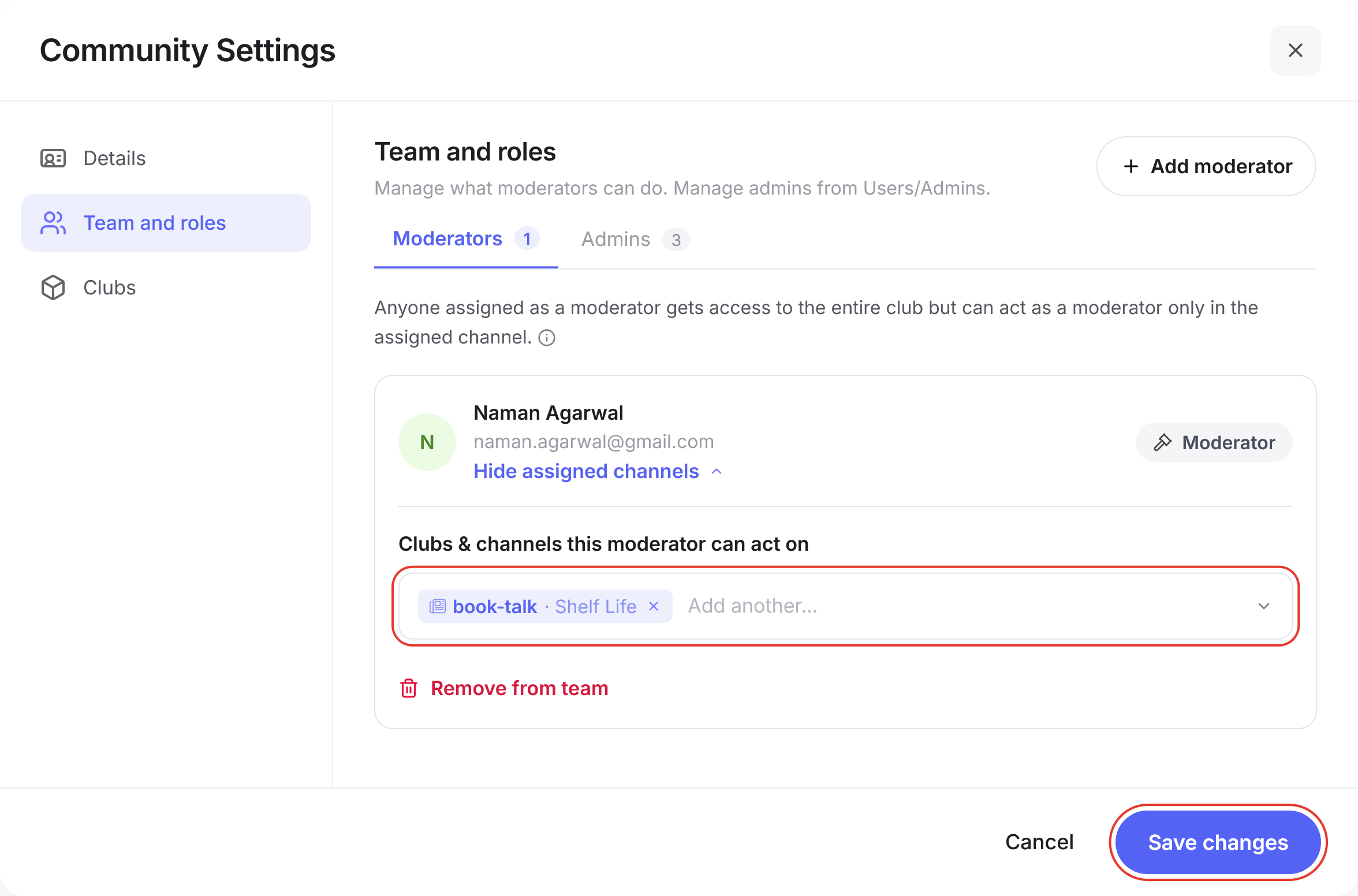
Click "Save changes" button
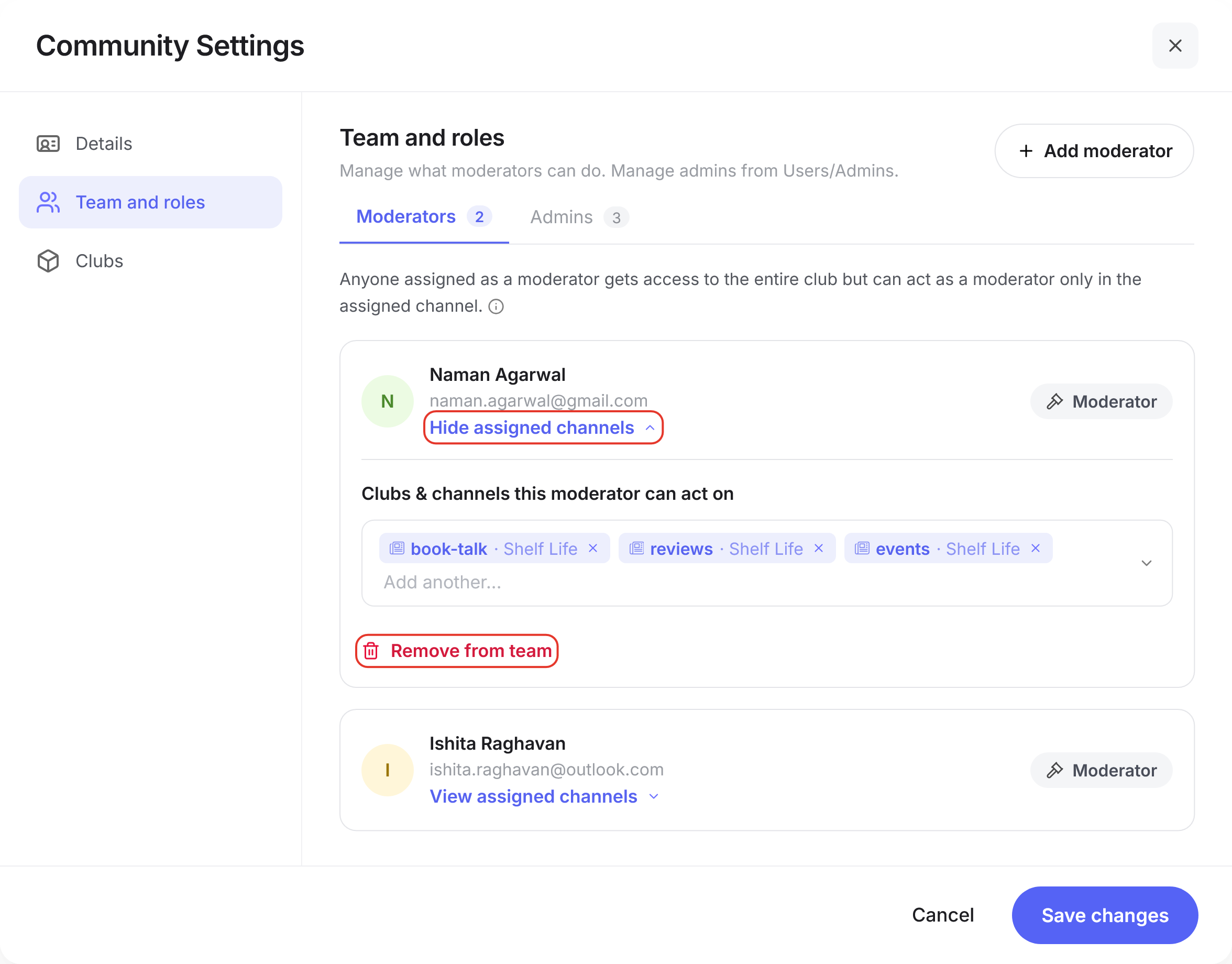
Once added, the moderator shows up in the Moderators tab with a Moderator tag next to their name.
Managing your moderators
From the Moderators tab, you can see everyone who’s currently a moderator in your community. Click “View assigned channels” under a moderator’s name to see which channels they can act in.
Was this article helpful?
That’s Great!
Thank you for your feedback
Sorry! We couldn't be helpful
Thank you for your feedback
Feedback sent
We appreciate your effort and will try to fix the article