When learners sign in to your app Graphy sends them an OTP to verify their identity. By default this OTP is comes through via an SMS message which sometimes can be prone to delays or not being received at all due to poor mobile network. WhatsApp OTP Login adds a second delivery channel so that even if the SMS is delayed learners can still login using the WhatsApp OTP.
Note: WhatsApp OTP can only be enabled if mobile login/ phone OTP is already enabled for your platform. You may reach out to care@graphy.com to get this enabled for your account.
Navigate to Communications
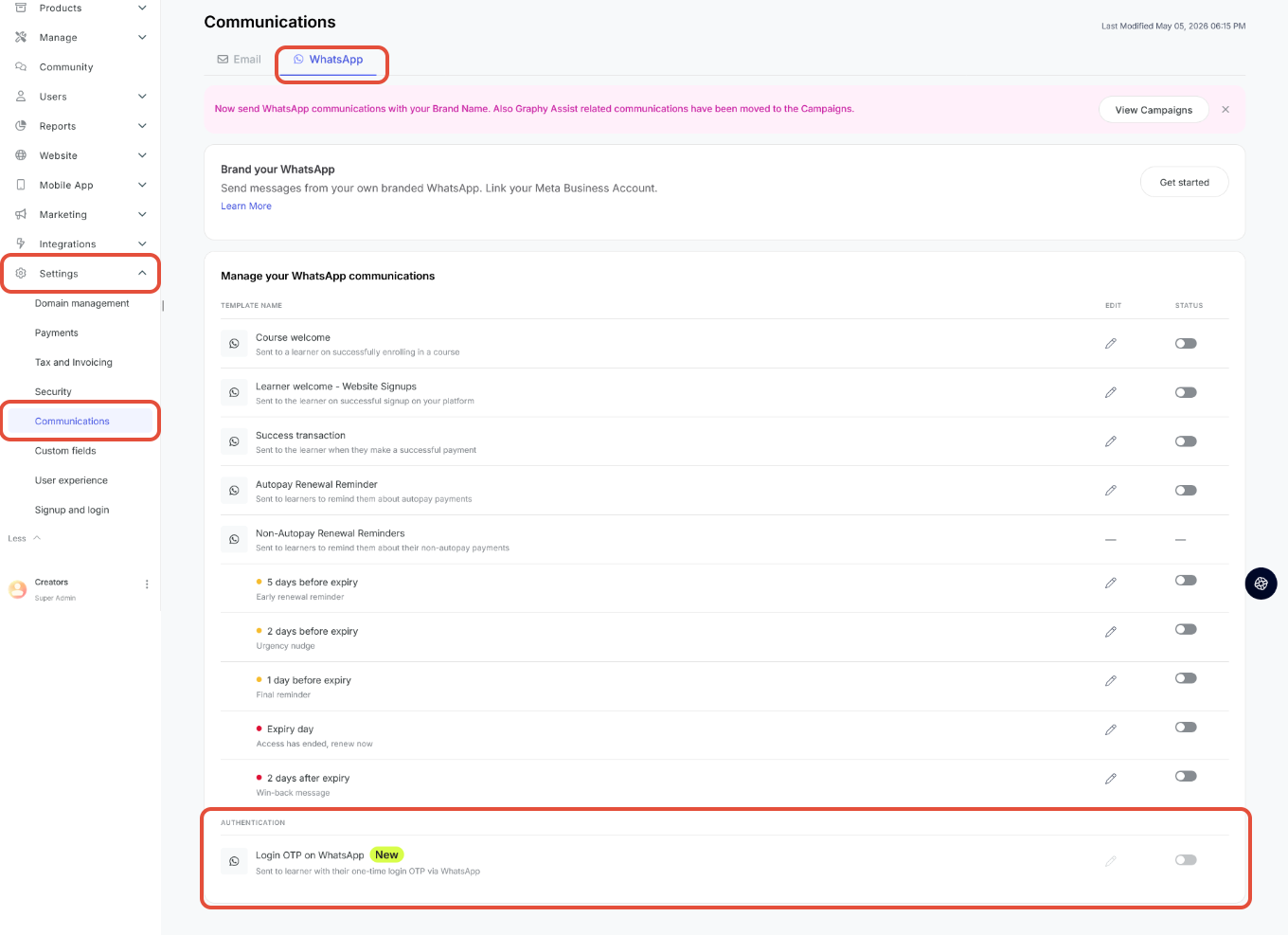
- From your Graphy dashboard navigate to Settings > Communications.
- Click at the "WhatsApp" Tab at the top of the page.
- At the bottom of the template list you will see a new "Authentication" section with a row for Login OTP on WhatsApp.
Turn on the Template
- The toggle for this template is turned OFF by default, you need to turn it on manually. Note that this is the default behaviour even if phone OTP is enabled for your domain.
- Note that the pencil (edit) icon is disabled since Meta doesn't allow editing of authentication messages.
Understand how messages are sent
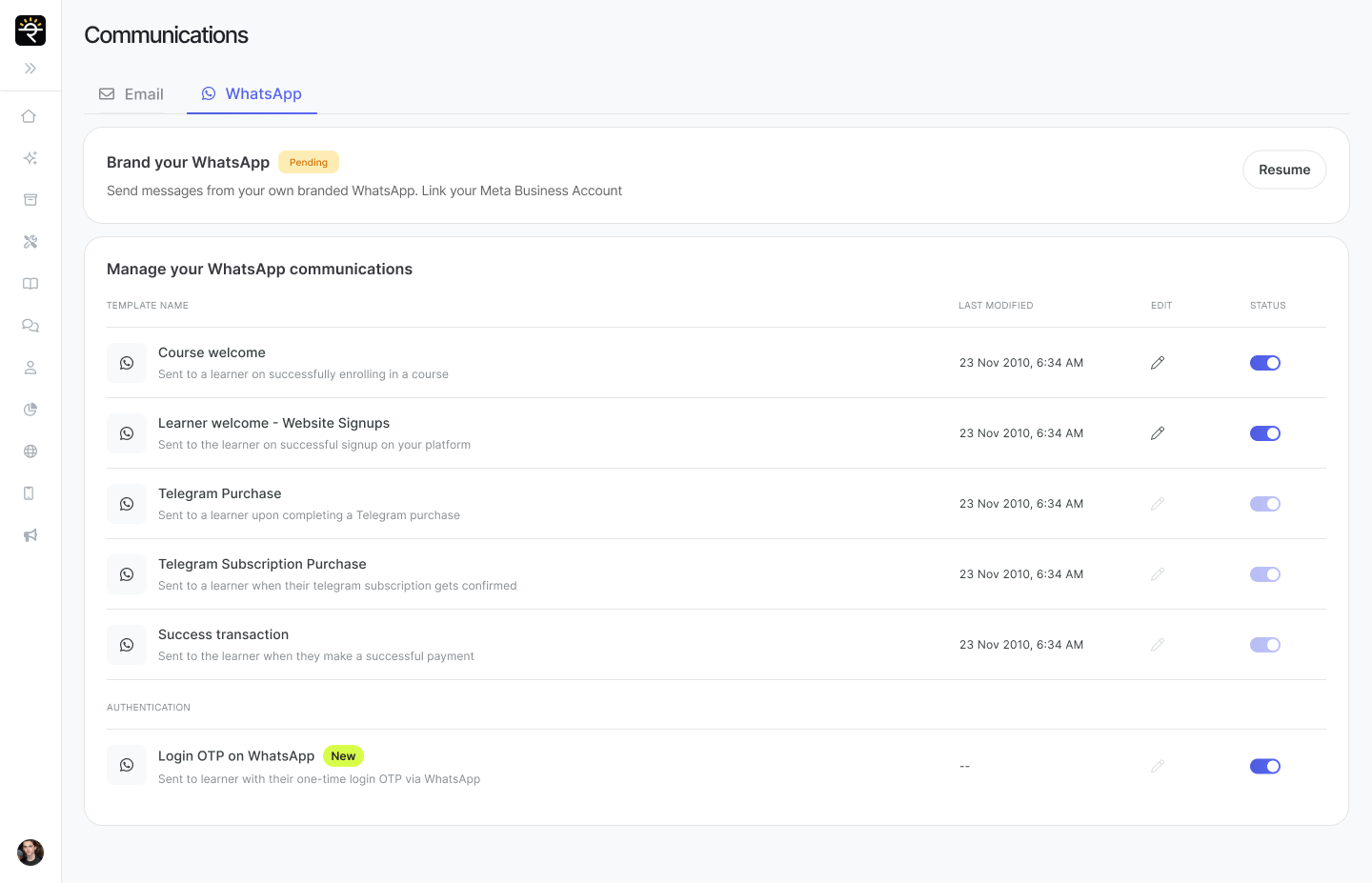
- This feature is only available if you use whitelabeled whatsapp. If you're yet to whitelabel, you can do so using a quick few steps.
- If you have connected your WhatsApp Business Account (WABA), OTPs will be sent from your own verified brand number instead.
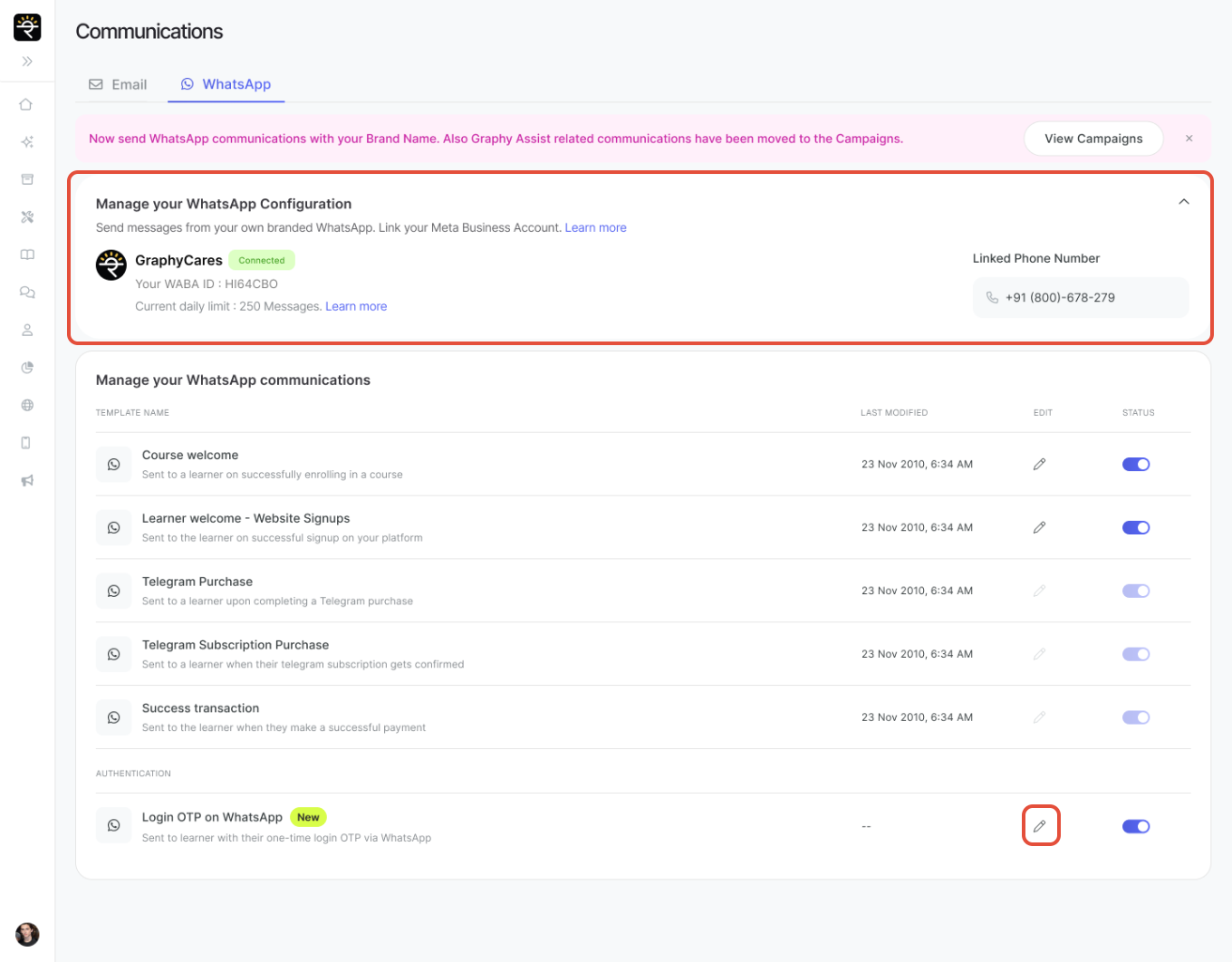
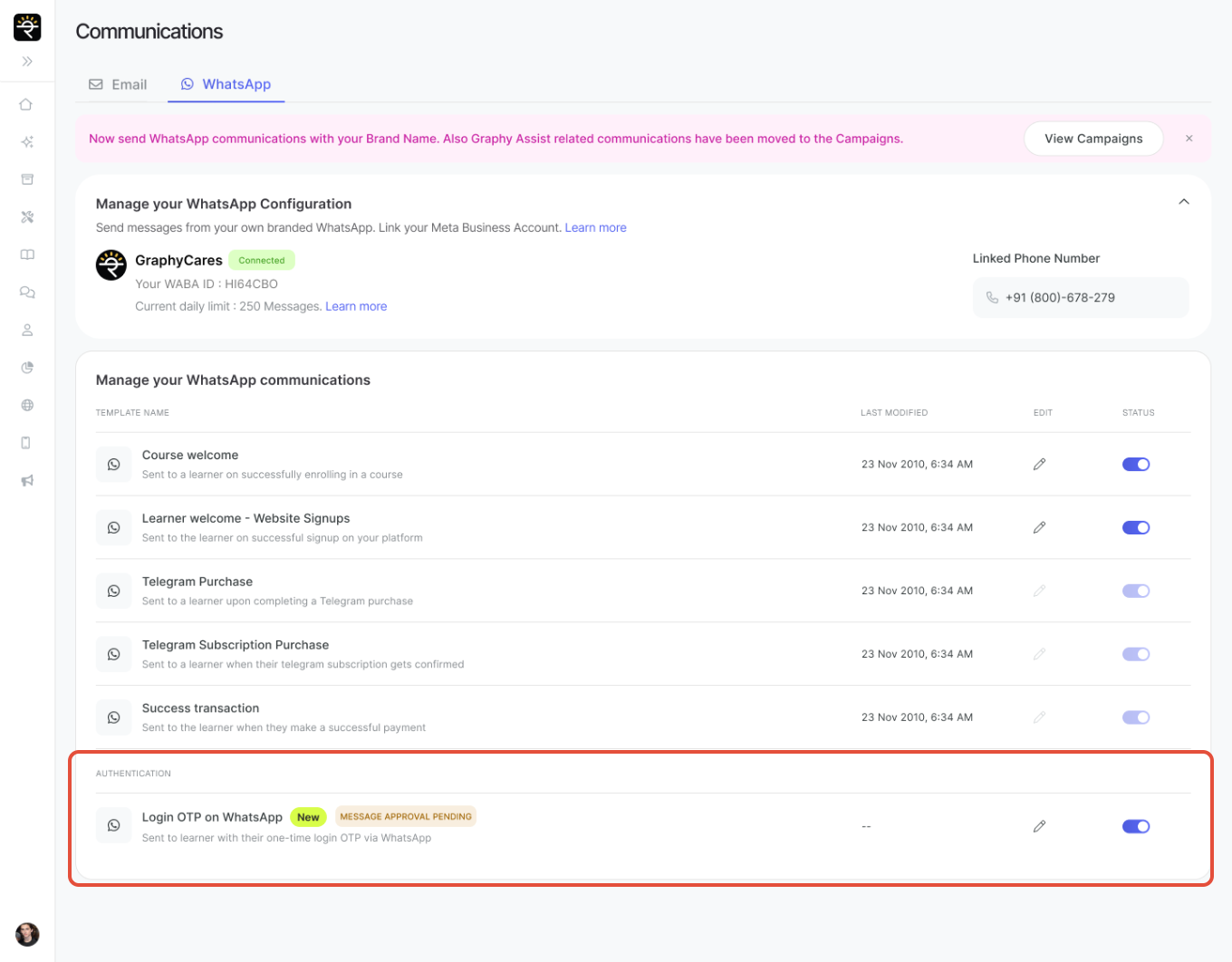
3. Messages sent to learners will still be Graphy's template/branding, until your own Meta-approved at which point it switches automatically. You will see a Message Approval Pending status until Meta template is live and useable.
Was this article helpful?
That’s Great!
Thank you for your feedback
Sorry! We couldn't be helpful
Thank you for your feedback
Feedback sent
We appreciate your effort and will try to fix the article